


Daňové formuláře
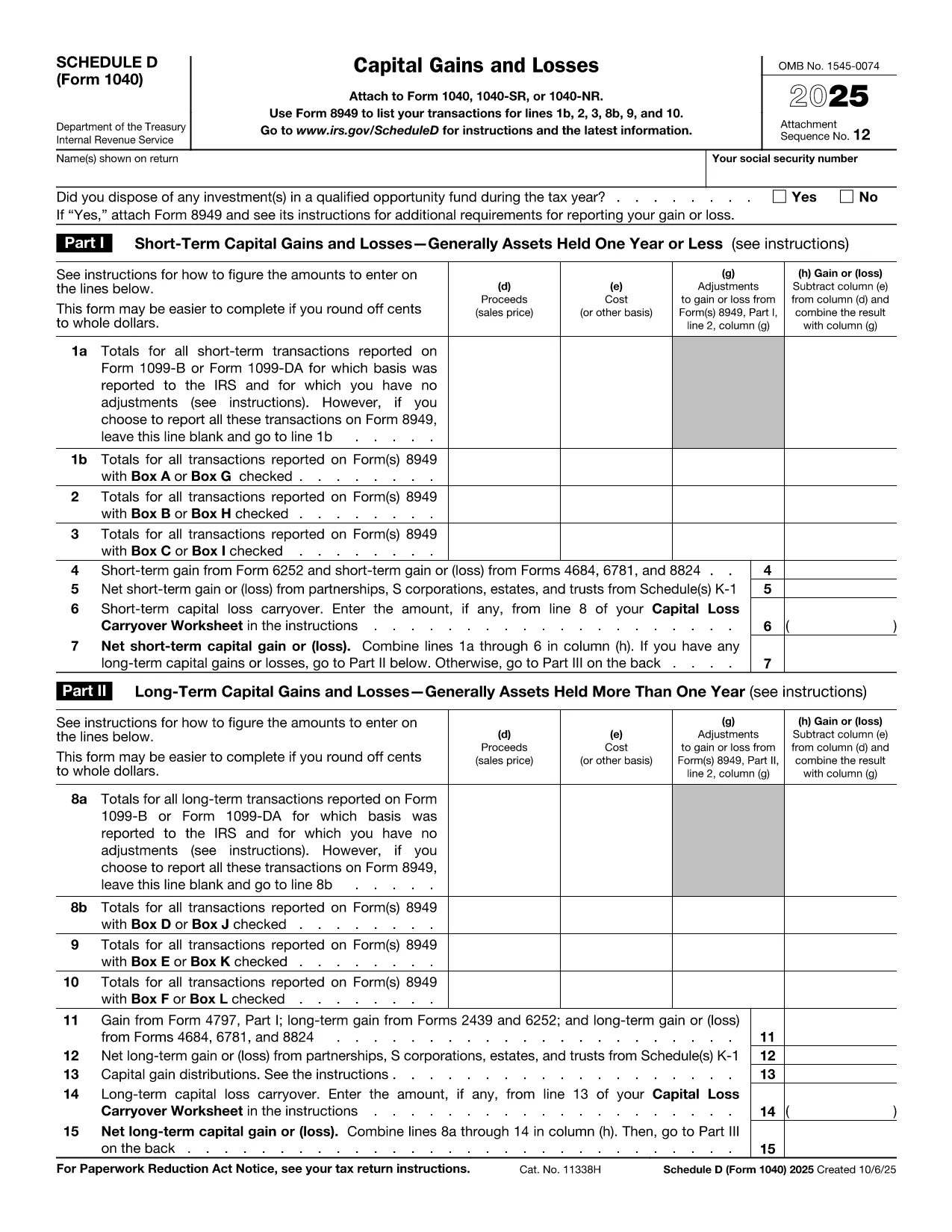
Schedule D PDF je jedním z daňových formulářů, které jsou dokumenty používané k hlášení příjmů, srážek a daňové povinnosti příslušnému daňovému úřadu. Tyto formuláře jsou nezbytnou součástí procesu daňového přiznání a používají se k zajištění toho, aby jednotlivci a podniky dodržovali daňové zákony a přesně vypočítali své daňové povinnosti.
Konkrétní požadované daňové formuláře se mohou lišit v závislosti na faktorech, jako je stav podání jednotlivce, zdroje příjmu a daňové zákony země. Zde jsou však některé běžné typy daňových formulářů:
Formuláře daně z příjmu fyzických osob: Tyto formuláře, jako je série 1040 ve Spojených státech, se používají jednotlivci hlásit své příjmy, uplatňovat odpočty a zápočty a vypočítat svou daňovou povinnost.
Formuláře pro daň z podnikání: Firmy, včetně fyzických osob, partnerství, korporací a osob samostatně výdělečně činných, budou možná muset podávat různé formuláře, aby nahlásily své příjmy, výdaje a dlužné daně. Příklady zahrnují plán C (zisk nebo ztráta z podnikání) a formulář 1120 (přiznání k dani z příjmu amerických korporací).
Formuláře daně ze zaměstnání: Zaměstnavatelé jsou povinni hlásit mzdy zaměstnanců a srážet a odvádět daně ze mzdy. K tomuto účelu se používají formuláře jako W-2 (výkaz mezd a daní) a 941 (čtvrtletní federální daňové přiznání zaměstnavatele).
Formuláře investičního a důchodového účtu: Tyto formuláře se používají k vykazování investičních příjmů, kapitálových zisků a ztrát, jakož i příspěvků a distribucí z důchodových účtů. Příklady zahrnují formulář 1099-DIV (dividendy a distribuce) a Formulář 5498 (informace o příspěvku IRA).
Formuláře daně z nemovitosti a daru: Když osoba zemře nebo daruje významné dary, konkrétní formuláře, jako je Formulář 706 (Daňové přiznání z majetku Spojených států (a Generation-Skipping Transfer)) a Formulář 709 (Dar pro Spojené státy (a Generation- Přeskakování převodu) Daňové přiznání) se používají k vykazování a výpočtu všech příslušných daní z nemovitostí nebo darů.
Je důležité si uvědomit, že daňové zákony a formuláře se mohou v průběhu času měnit, takže jednotlivci a podniky by se měli poradit s příslušným finančním úřadem nebo vyhledat odborné daňové poradenství, aby zajistili soulad se současnými požadavky.