

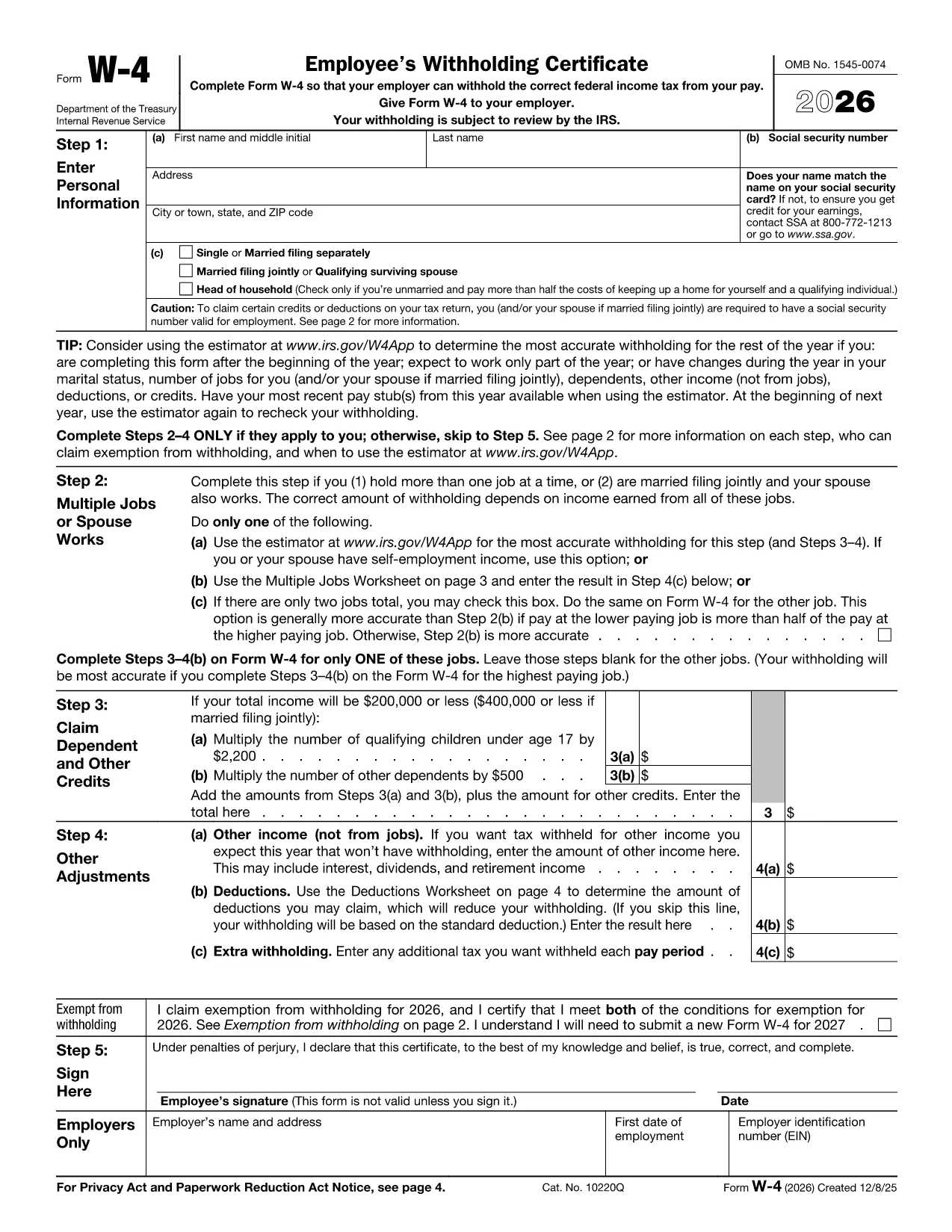

Formularer til Internal Revenue Service (IRS).
W-4 form er en af de officielle skatteformularer, der bruges i USA til at indberette indkomst, kræve fradrag og kreditter, beregne skattepligt og opfylde andre skatterelaterede forpligtelser. IRS er det føderale agentur, der er ansvarligt for at administrere og håndhæve de interne indtægtslove i USA.
Her er nogle eksempler på formularer fra Internal Revenue Service:
Formular 1040: Dette er den primære individuelle selvangivelsesformular, der bruges af de fleste skatteydere. Den bruges til at indberette forskellige typer indkomst, kræve fradrag og krediteringer, beregne skattepligt og afgøre, om en skatteyder skylder yderligere skat eller har ret til tilbagebetaling.
Formular 1099: Der er forskellige variationer af Form 1099, såsom 1099-MISC, 1099-INT, 1099-DIV osv. Disse formularer bruges til at rapportere indkomst modtaget af enkeltpersoner eller virksomheder fra forskellige andre kilder end beskæftigelse, såsom selvstændig erhvervsvirksomhed indtægter, renteindtægter, udbytteindtægter og lejeindtægter.
Formular W-2: Denne formular bruges af arbejdsgivere til at indberette løn udbetalt til ansatte og skatter tilbageholdt i deres løn. Medarbejdere bruger oplysningerne på formular W-2 til at udfylde deres individuelle selvangivelser.
Formular 941: Arbejdsgivere bruger denne formular til at indberette beskæftigelsesskatter, herunder tilbageholdt føderal indkomstskat, socialsikringsskat og Medicare-skat, for deres ansatte.
Formular 1065: Denne formular bruges af partnerskaber til at indberette deres indkomst, fradrag og skattepligt. Partnerskaber betaler ikke selv indkomstskat; i stedet indberetter partnerne deres andel af interessentskabsindkomsten på deres individuelle selvangivelser.
Formular 1120: Dette er selskabsskatteskemaet, der bruges af C-selskaber til at indberette deres indkomst, fradrag og skattepligt.
Formular 990: Denne formular bruges af skattefritaget organisationer, såsom nonprofitorganisationer og velgørende organisationer, til at rapportere deres økonomiske oplysninger, aktiviteter og overholdelse af skattelovgivningen.
Formular 8862: Denne formular bruges af skatteydere, der tidligere har gjort krav på Earned Income Tax Credit (EITC) men fik det afvist, og vil nu gøre krav på det igen.
Dette er blot nogle få eksempler på de talrige IRS-formularer, der findes for at opfylde forskellige skatterelaterede forpligtelser. De specifikke formularer, der kræves for en person eller virksomhed, afhænger af deres unikke omstændigheder, indkomstkilder og fradrag. Det er tilrådeligt at konsultere den officielle hjemmeside for Internal Revenue Service (www.irs.gov) eller søge professionel skatterådgivning for at få nøjagtige og opdaterede oplysninger om den specifikke IRS formularer, der er relevante for din skattesituation.