

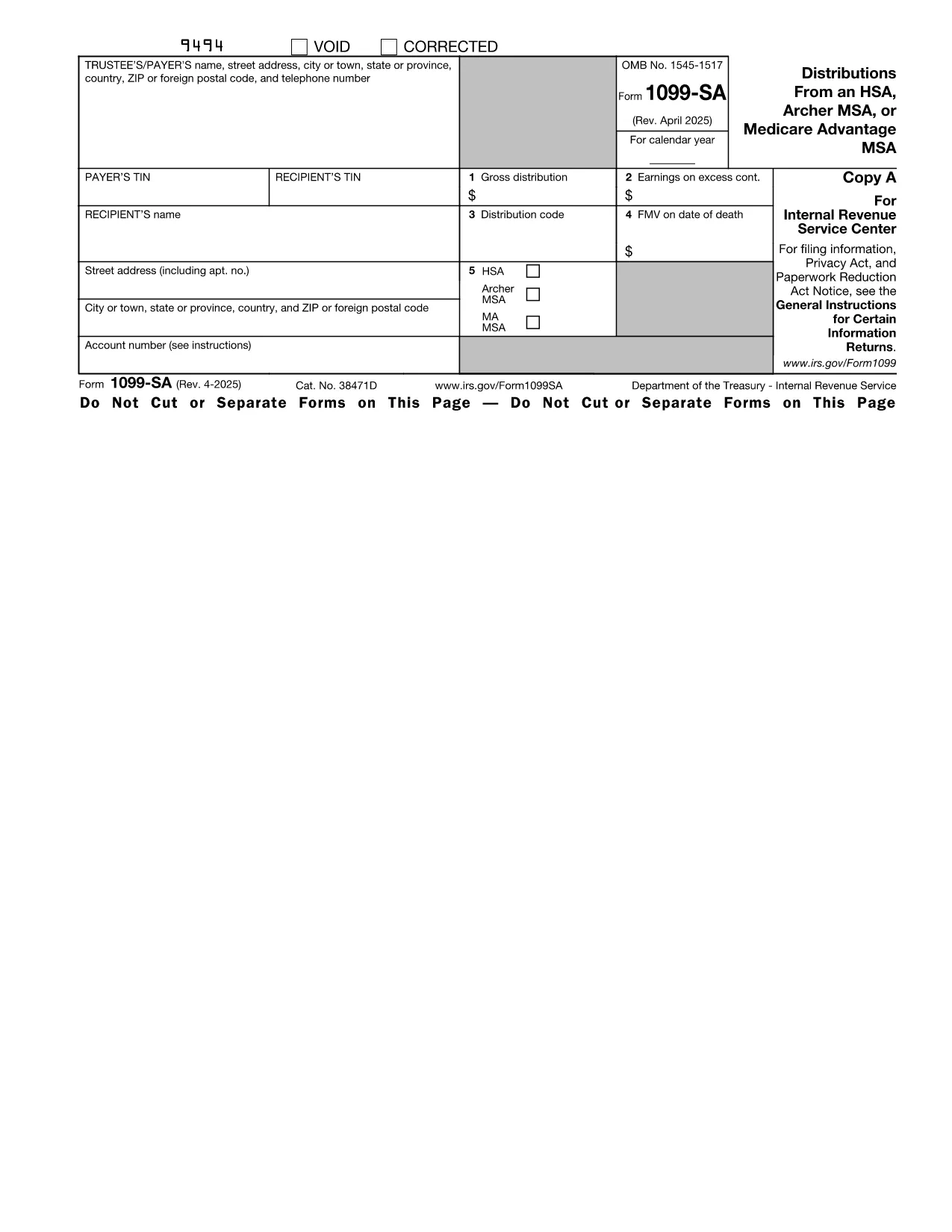

Έντυπα Υπηρεσίας Εσωτερικών Εσόδων (IRS).
Το Form 1099-SA είναι ένα από τα επίσημα φορολογικά έντυπα που χρησιμοποιούνται στις Ηνωμένες Πολιτείες για την αναφορά εισοδήματος, την αξίωση εκπτώσεων και πιστώσεων, τον υπολογισμό της φορολογικής υποχρέωσης και την εκπλήρωση άλλων φορολογικών υποχρεώσεων. Η IRS είναι η ομοσπονδιακή υπηρεσία που είναι υπεύθυνη για τη διαχείριση και την επιβολή της νομοθεσίας για τα εσωτερικά έσοδα στις Ηνωμένες Πολιτείες.
Ακολουθούν ορισμένα παραδείγματα εντύπων της Υπηρεσίας Εσωτερικών Εσόδων:
Έντυπο 1040: Αυτό είναι το κύριο έντυπο δήλωσης φόρου εισοδήματος φυσικού προσώπου που χρησιμοποιείται από τους περισσότερους φορολογούμενους. Χρησιμοποιείται για την αναφορά διαφόρων τύπων εισοδήματος, την αξίωση εκπτώσεων και πιστώσεων, τον υπολογισμό της φορολογικής υποχρέωσης και τον προσδιορισμό του εάν ένας φορολογούμενος οφείλει πρόσθετο φόρο ή δικαιούται επιστροφή χρημάτων.
Φόρμα 1099: Υπάρχουν διάφορες παραλλαγές της φόρμας 1099, όπως 1099-MISC, 1099-INT, 1099-DIV, κ.λπ. Αυτά τα έντυπα χρησιμοποιούνται για την αναφορά εισοδήματος που λαμβάνουν άτομα ή επιχειρήσεις από διάφορες πηγές εκτός από την απασχόληση, όπως η αυτοαπασχόληση εισόδημα, έσοδα από τόκους, έσοδα από μερίσματα και εισόδημα από ενοίκια.
Έντυπο W-2: Αυτή η φόρμα χρησιμοποιείται από τους εργοδότες για να αναφέρουν τους μισθούς που καταβάλλονται στους εργαζόμενους και τους φόρους παρακρατούνται από την αμοιβή τους. Οι εργαζόμενοι χρησιμοποιούν τις πληροφορίες στο Έντυπο W-2 για να συμπληρώσουν τις ατομικές φορολογικές τους δηλώσεις.
Έντυπο 941: Οι εργοδότες χρησιμοποιούν αυτήν τη φόρμα για να αναφέρουν τους φόρους απασχόλησης, συμπεριλαμβανομένου του ομοσπονδιακού φόρου εισοδήματος που παρακρατήθηκε, του φόρου κοινωνικής ασφάλισης και του φόρου Medicare, για τους υπαλλήλους τους.
Έντυπο 1065: Αυτή η φόρμα χρησιμοποιείται από συνεργασίες για την αναφορά του εισοδήματος, των κρατήσεων και της φορολογικής τους υποχρέωσης. Οι ίδιες οι συνεταιρισμοί δεν πληρώνουν φόρο εισοδήματος. Αντίθετα, οι εταίροι αναφέρουν το μερίδιό τους στο εισόδημα της εταιρικής σχέσης στις ατομικές φορολογικές τους δηλώσεις.
Έντυπο 1120: Αυτό είναι το έντυπο δήλωσης εταιρικού φόρου εισοδήματος που χρησιμοποιείται από εταιρείες C για να αναφέρουν το εισόδημά τους, εκπτώσεις και φορολογική υποχρέωση.
Έντυπο 990: Αυτή η φόρμα χρησιμοποιείται από οργανισμούς που απαλλάσσονται από φόρους, όπως μη κερδοσκοπικούς και φιλανθρωπικούς οργανισμούς, για αναφέρουν τις οικονομικές τους πληροφορίες, τις δραστηριότητές τους και τη συμμόρφωσή τους με τη φορολογική νομοθεσία.
Έντυπο 8862: Αυτό το έντυπο χρησιμοποιείται από φορολογούμενους που προηγουμένως διεκδίκησαν την πίστωση φόρου εισοδήματος κερδισμένου εισοδήματος (EITC) αλλά το είχε ακυρώσει και τώρα θέλω να το διεκδικήσω ξανά.
Αυτά είναι μόνο μερικά παραδείγματα των πολυάριθμων εντύπων IRS που υπάρχουν για την εκπλήρωση διαφόρων φορολογικών υποχρεώσεων. Τα συγκεκριμένα έντυπα που απαιτούνται για ένα άτομο ή μια επιχείρηση εξαρτώνται από τις μοναδικές περιστάσεις, τις πηγές εισοδήματος και τις κρατήσεις τους. Συνιστάται να συμβουλευτείτε τον επίσημο ιστότοπο της Υπηρεσίας Εσωτερικών Εσόδων (www.irs.gov) ή να ζητήσετε επαγγελματική φορολογική συμβουλή για να λάβετε ακριβείς και ενημερωμένες πληροφορίες σχετικά με τη συγκεκριμένη IRS έντυπα σχετικά με τη φορολογική σας κατάσταση.