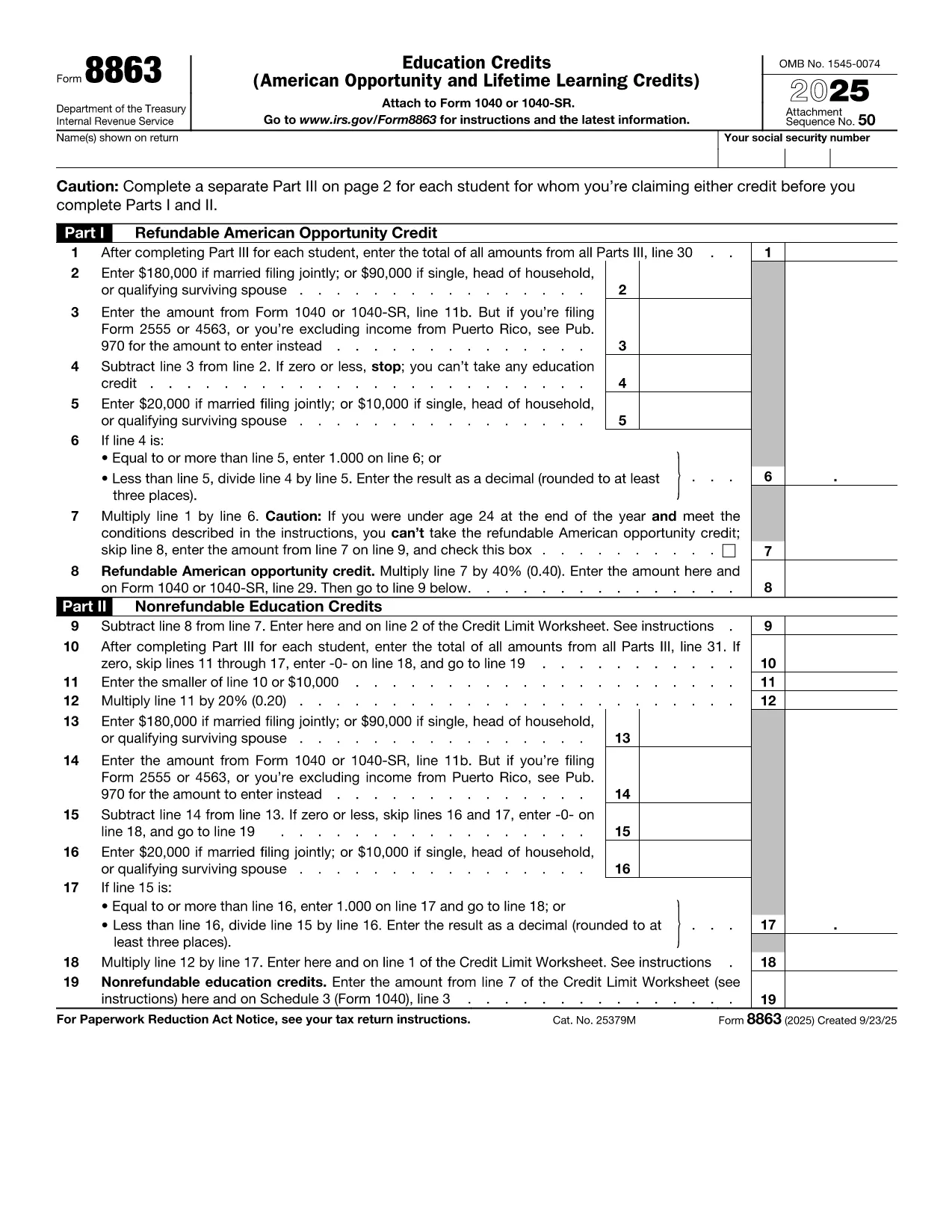

College tuition can be a big expense, but the IRS offers tax credits that can put money back in your pocket. IRS Form 8863 – Education Credits (American Opportunity and Lifetime Learning) – is the official form you need to claim these credits. With Formize, you can fill out the PDF directly in your browser, save time, and avoid printing errors.
What Is IRS Form 8863?
Form 8863 is used to claim two major education tax credits:
- American Opportunity Credit (AOC) – up to $2,500 per eligible student for the first four years of post‑secondary education.
- Lifetime Learning Credit (LLC) – up to $2,000 per tax return for any level of post‑secondary education, including courses to improve job skills.
The form is required for both credits and must be attached to your Form 1040 when you file.
How to Fill Out the Form Using Formize
Instead of downloading the PDF and opening a separate editor, simply click the "Fill out this form" button on this page. The Formize PDF Filler app will load in seconds, letting you:
- Enter personal information, school details, and qualified expenses.
- Automatically calculate the credit amount.
- Save your progress or download a completed PDF to attach to your tax return.
The process is secure, free, and works on any device.
Eligibility Requirements for College Students
To qualify for the credits on Form 8863, you must meet these criteria:
- Be enrolled at an eligible educational institution.
- Be pursuing a degree or recognized credential (AOC) or taking any post‑secondary course (LLC).
- Have qualified tuition and related expenses paid during the tax year.
- Not have exceeded the income limits for the credit.
Common Mistakes to Avoid
- Incorrect Social Security Number: Double‑check both yours and the student’s SSN.
- Double‑claiming expenses: You can’t claim the same expenses for both the AOC and the Lifetime Learning Credit.
- Leaving fields blank: Even if a question doesn’t apply, write “0” or “N/A” to avoid processing delays.
- Missing signatures: Form 8863 requires the taxpayer’s signature; an unsigned form will be rejected.
Where to Submit the Completed Form
After you finish, download the filled PDF and attach it to your Form 1040 when filing electronically or by mail. If you e‑file, the PDF is automatically included with your return. For paper filing, mail the complete Form 1040 package to the IRS address listed in the IRS mailing instructions.
If you need additional help, consult the IRS Form 8863 instructions or contact your college’s financial aid office.