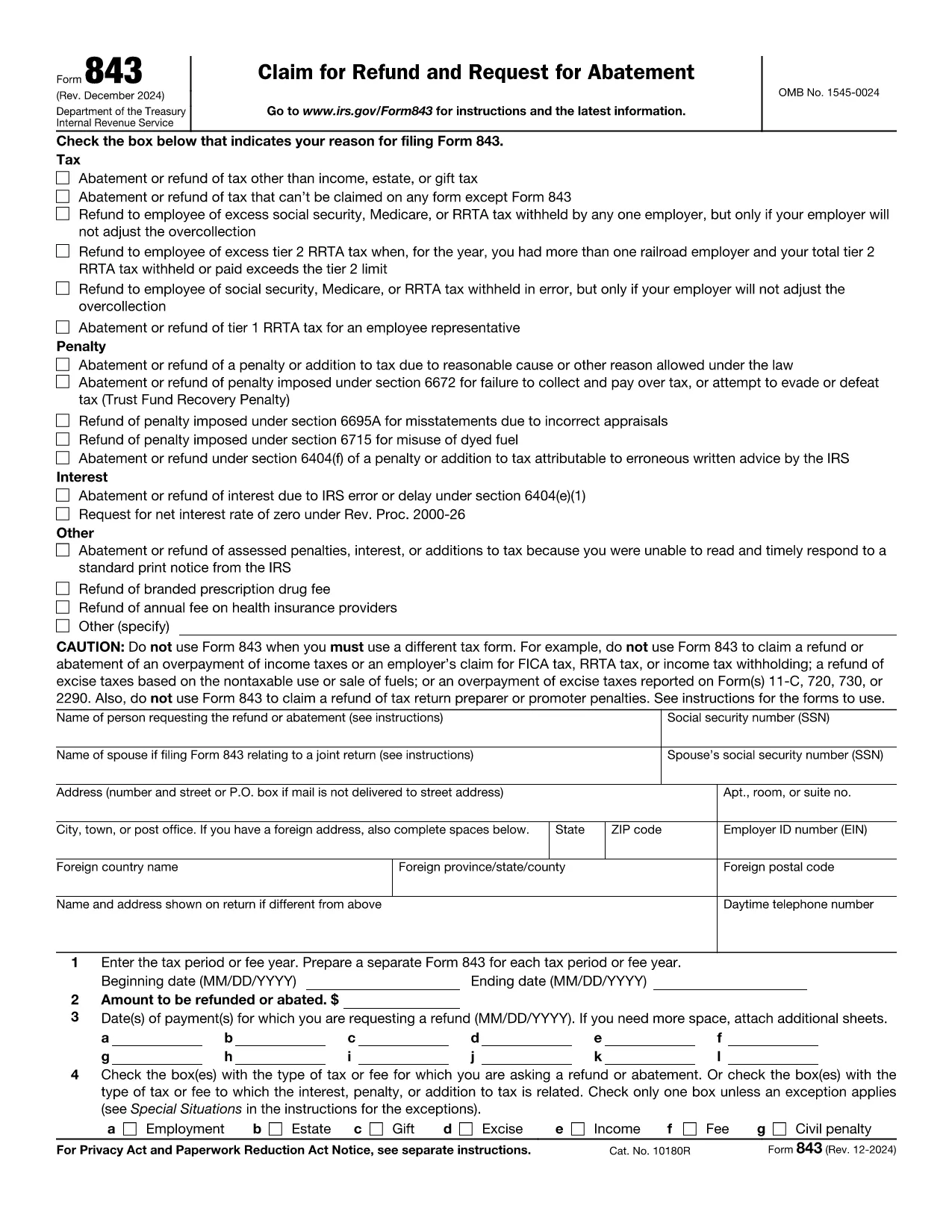
If you filed your taxes with TurboTax and believe you are owed a refund, you’ll need the official IRS Form 843 – Claim for Refund and Request for Abatement. This form is the correct document to request a refund for over‑paid taxes, penalties, or interest.
What Is the TurboTax Refund Request Form?
TurboTax does not issue its own refund form; instead, it guides you to the IRS Form 843. The form is a fillable PDF that can be completed online, printed, and mailed to the IRS. Using Formize’s PDF Filler, you can complete the form directly in your browser without installing any software.
How to Fill Out the Form in Seconds
Follow the simple steps below and let the Formize PDF Filler do the heavy lifting:
- Click the "Fill out this form" button on this page.
- Wait a few seconds while the Formize PDF Filler app loads the fillable version of Form 843.
- Enter your personal information, tax year, and the amount you are claiming.
- Review the auto‑saved data, then click Submit to download a completed PDF.
- Print and mail the PDF to the address listed in the instructions, or keep a digital copy for your records.
Common Mistakes to Avoid
- Wrong tax year: Double‑check the year you are claiming a refund for.
- Missing signatures: The form must be signed and dated; Formize lets you add a digital signature.
- Incorrect amounts: Verify the amount you owe the IRS before entering it.
- Incomplete explanations: Provide a clear reason for the refund request in Part I, line 1.
Where to Submit Your Completed Form
After you download the completed Form 843, mail it to the IRS processing center for your state (see the IRS mailing addresses). Keep a copy for your records and track the mailing if possible.
Need More Help?
TurboTax’s support articles explain when to use Form 843 and how to calculate the amount you’re claiming. For IRS‑specific questions, visit the IRS Help Center. Remember, the Formize PDF Filler works on any device—desktop, tablet, or smartphone.