Válasszon nyelvet

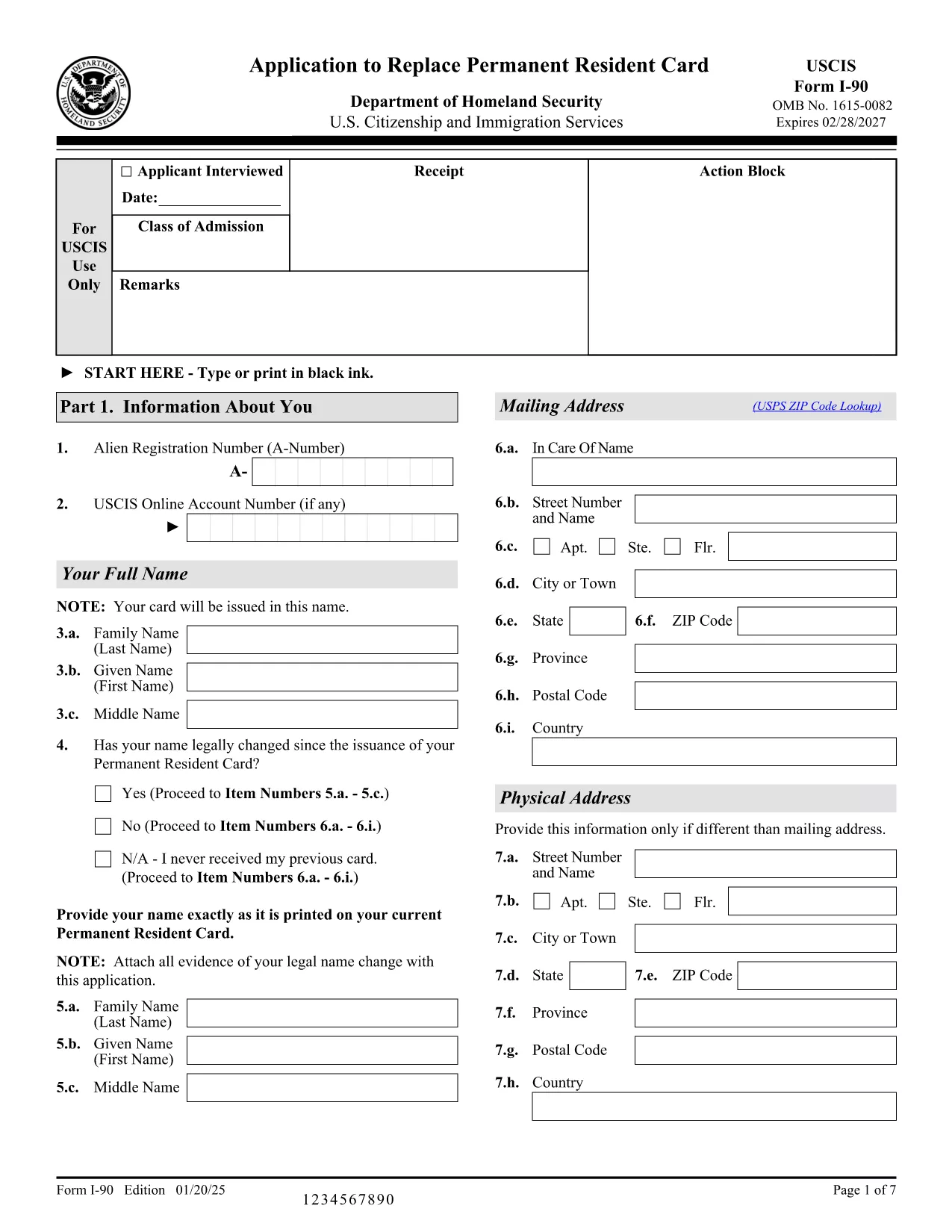
USCIS Form I-90 – Fillable Application Form Link

  1. Ország USA
  2. Nyelv angol
  3. Osztály USCIS
  4. Tevékenység Bevándorlás
USCIS Form I-90 – Fillable Application Form Link

Need a fast, secure way to complete the USCIS Form I-90 (Application to Replace Permanent Resident Card)? You’re in the right place. This landing page provides a direct application form link to the official fillable PDF and lets you finish the entire process in your browser with the Formize PDF Filler – no extra software required.

What Is Form I-90?

Form I-90 is the United States Citizenship and Immigration Services (USCIS) application used to replace a lost, stolen, or expired green card. The form asks for personal details, residency information, and the reason for the replacement. Submitting a correctly completed form is essential to avoid processing delays.

Why Use the Formize PDF Filler?

  • Instant loading – Click the button and the fillable PDF opens in seconds.
  • Secure cloud processing – Your data never leaves the encrypted Formize environment.
  • Auto‑save – Your progress is saved automatically, so you can return later.
  • Print‑ready – Export a completed PDF ready for USCIS submission.

How to Complete the Form I-90 Online

Follow the simple steps below. No need to download the PDF or install a PDF editor.

Common Mistakes to Avoid

  • Leaving required fields blank – the filler will highlight missing information.
  • Using an outdated address – double‑check your mailing address before saving.
  • Submitting an unsigned form – the filler adds a digital signature field; sign before exporting.

Where to Get Help

If you have questions about the I-90 process, visit the USCIS I-90 page. For technical assistance with the Formize filler, consult the Formize Help Center.

GYIK
  • Do I need to install any software to use the Formize filler?

    No. The Formize PDF Filler runs completely in your web browser, so there’s nothing to install.

  • Can I save my progress and finish the form later?

    Yes. The filler automatically saves your entries to a secure cloud session. Simply reopen the link and continue where you left off.

  • Is my personal information safe?

    Formize uses SSL encryption and does not store your data after you export the completed PDF.

  • What if I make a mistake after exporting?

    You can re‑open the same fillable PDF link, correct the error, and export a new version. USCIS accepts the most recent PDF you submit.

  • Which browsers are supported?

    The filler works with the latest versions of Chrome, Firefox, Edge, and Safari.

  • Do I need a PDF reader to view the completed form?

    After exporting, you can open the PDF with any standard PDF viewer, including the free Adobe Reader.

  • How do I print the form for mailing?

    Open the exported PDF, choose “Print,” and select high‑quality settings. Ensure the entire form fits on one page per USCIS guidelines.

  • Can I sign the form electronically?

    Formize provides a digital signature field. Add your signature, then export the PDF for submission.

  • Is there a fee to use Formize?

    Formize offers a free tier for completing standard USCIS forms like I-90. No payment is required for this fillable PDF.

  • What should I do if the form won’t load?

    Refresh the page, clear your browser cache, or try a different browser. If the issue persists, contact the Formize support page.

HOGYAN KELL

A(z) fillable application form ingyenes online kitöltése 5 egyszerű lépésben:

  1. 1
    Click the Fill Out Button
    Locate the blue “Fill out this form” button on this page and click it. The Formize PDF Filler app will launch in a new tab.
  2. 2
    Wait for the Filler to Load
    The fillable PDF loads within seconds. All fields become editable directly in your browser.
  3. 3
    Complete Each Section
    Enter your information exactly as it appears on your green card and supporting documents. Required fields are marked with an asterisk.
  4. 4
    Save and Review
    Use the “Save” button to store your progress. Review the form for any highlighted errors before finalizing.
  5. 5
    Export the Completed PDF
    When you’re satisfied, click “Export” to download the fully‑filled PDF. Print it and mail it to USCIS as instructed on the form.
PDF-kitöltő alkalmazás formázása
RÓL RŐL

fillable application form sablon

A PDF-dokumentumok megtekintésére és kitöltésére szolgáló hagyományos funkciókkal, valamint a webalkalmazás és az adaptív elrendezés előnyeivel percek alatt teljesítheti a fillable application form.

JELLEMZŐK

PDF kitöltő

A PDF űrlapok online kitöltésének legegyszerűbb módja

  • Gyorsan töltse ki a következőt: fillable application form
    Módot keres a(z) fillable application form online gyors kitöltésére? Online ingyenes PDF űrlapkitöltőnkkel tudni fogja, hogyan kell szerkeszteni és kitölteni ezt a pdf dokumentumot kevesebb mint egy perc alatt.
  • Könnyen használható online PDF szerkesztő
    Eleged van abból, hogy kinyomtatja a PDF-fájlokat, hogy szerkeszthesse őket, mielőtt újra beolvassa és visszaküldi őket? PDF dokumentumok szerkesztése ingyen online. Használja online pdf-szerkesztőnket, hogy időt és papírt takarítson meg.
  • Remek eszközök, minden platformon
    Kíváncsi arra, hogyan töltse ki a fillable application form mezőt Mac számítógépen, vagy hogyan használhat ingyenes PDF-kitöltőt? Online PDF eszközeink minden platformon működnek.
  • Biztonságos fájltárolás
    A befejezett „fillable application form” fájlokat az Amazon Cloud hosting által kezelt, biztonságos adatbázisban tároljuk. Fájljait bármikor törölheti rendszerünkből. Mindenesetre ezek a fájlok 24 óra elteltével automatikusan törlődnek.
  • Csevegés fillable application form felhasználóval
    Csevegés "fillable application form" felhasználóval a Chatize oldalon, amely egy ingyenes PDF-olvasó segéd. Tegyen fel kérdéseket, és kapjon választ a következőtől: "fillable application form". Csak kattintson a fenti Csevegés dokumentummal gombra.

Kitöltési munkamenet törlése

Törli a kiválasztott kitöltési munkamenetet? Ebben az esetben az űrlap kitöltésének előrehaladása elvész.

Szerkesztési munkamenet törlése

Törli a kiválasztott szerkesztési munkamenetet? Ebben az esetben az űrlap létrehozásának és szerkesztésének előrehaladása elvész.