

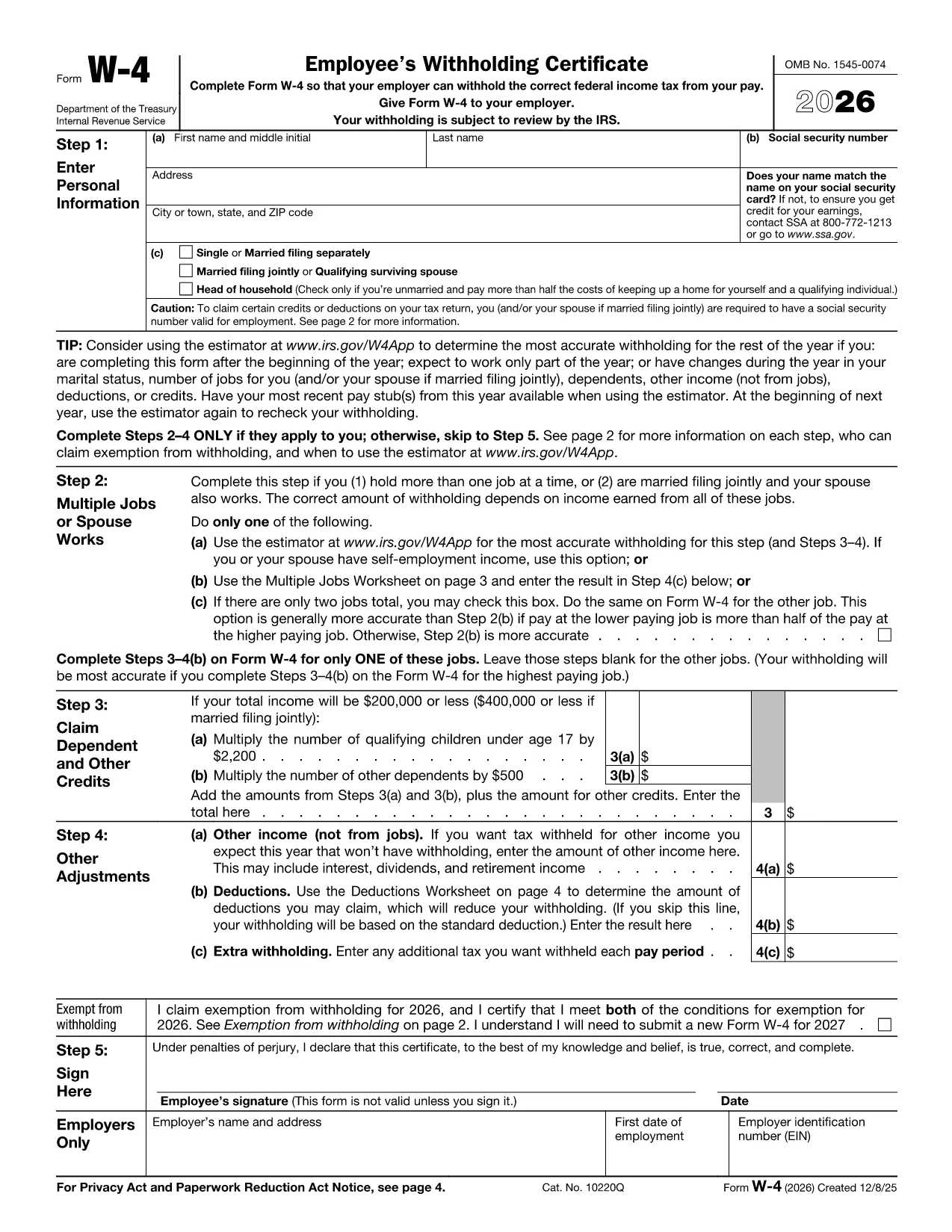

Formulir Layanan Pendapatan Internal (IRS).
W-4 form adalah salah satu formulir pajak resmi yang digunakan di Amerika Serikat untuk melaporkan pendapatan, pengurangan klaim dan kredit, menghitung kewajiban pajak, dan memenuhi kewajiban terkait pajak lainnya. IRS adalah badan federal yang bertanggung jawab untuk mengelola dan menegakkan undang-undang pendapatan internal di Amerika Serikat.
Berikut beberapa contoh formulir Internal Revenue Service:
Formulir 1040: Ini adalah formulir pengembalian pajak penghasilan orang pribadi utama yang digunakan oleh sebagian besar wajib pajak. Ini digunakan untuk melaporkan berbagai jenis pendapatan, pengurangan klaim dan kredit, menghitung kewajiban pajak, dan menentukan apakah seorang wajib pajak berhutang pajak tambahan atau berhak mendapatkan pengembalian pajak.
Formulir 1099: Ada variasi berbeda dari Formulir 1099, seperti 1099-MISC, 1099-INT, 1099-DIV, dll. Formulir ini digunakan untuk melaporkan pendapatan yang diterima oleh individu atau bisnis dari berbagai sumber selain pekerjaan, seperti wirausaha pendapatan, pendapatan bunga, pendapatan dividen, dan pendapatan sewa.
Formulir W-2: Formulir ini digunakan oleh pemberi kerja untuk melaporkan gaji yang dibayarkan kepada karyawan dan pajaknya dipotong dari gaji mereka. Karyawan menggunakan informasi pada Formulir W-2 untuk melengkapi pengembalian pajak individu mereka.
Formulir 941: Pengusaha menggunakan formulir ini untuk melaporkan pajak pekerjaan, termasuk pajak pendapatan federal yang dipotong, pajak Jaminan Sosial, dan pajak Medicare, untuk karyawan mereka.
Formulir 1065: Formulir ini digunakan oleh kemitraan untuk melaporkan pendapatan, pemotongan, dan kewajiban pajak mereka. Kemitraan sendiri tidak membayar pajak penghasilan; sebaliknya, para mitra melaporkan bagian pendapatan kemitraan mereka pada laporan pajak individu mereka.
Formulir 1120: Ini adalah formulir pengembalian pajak penghasilan badan yang digunakan oleh korporasi C untuk melaporkan penghasilannya, pemotongan, dan kewajiban pajak.
Formulir 990: Formulir ini digunakan oleh organisasi bebas pajak, seperti organisasi nirlaba dan badan amal, untuk melaporkan informasi keuangan, aktivitas, dan kepatuhan mereka terhadap undang-undang perpajakan.
Formulir 8862: Formulir ini digunakan oleh wajib pajak yang sebelumnya mengklaim Kredit Pajak Penghasilan (EITC) tapi tadinya tidak diizinkan, dan sekarang ingin mengklaimnya lagi.
Ini hanyalah beberapa contoh dari berbagai formulir IRS yang ada untuk memenuhi berbagai kewajiban terkait perpajakan. Formulir khusus yang diperlukan untuk individu atau bisnis bergantung pada keadaan unik, sumber pendapatan, dan potongannya. Dianjurkan untuk berkonsultasi dengan situs web resmi Internal Revenue Service (www.irs.gov) atau mencari nasihat pajak profesional untuk mendapatkan informasi yang akurat dan terkini mengenai IRS tertentu formulir yang relevan dengan situasi perpajakan Anda.