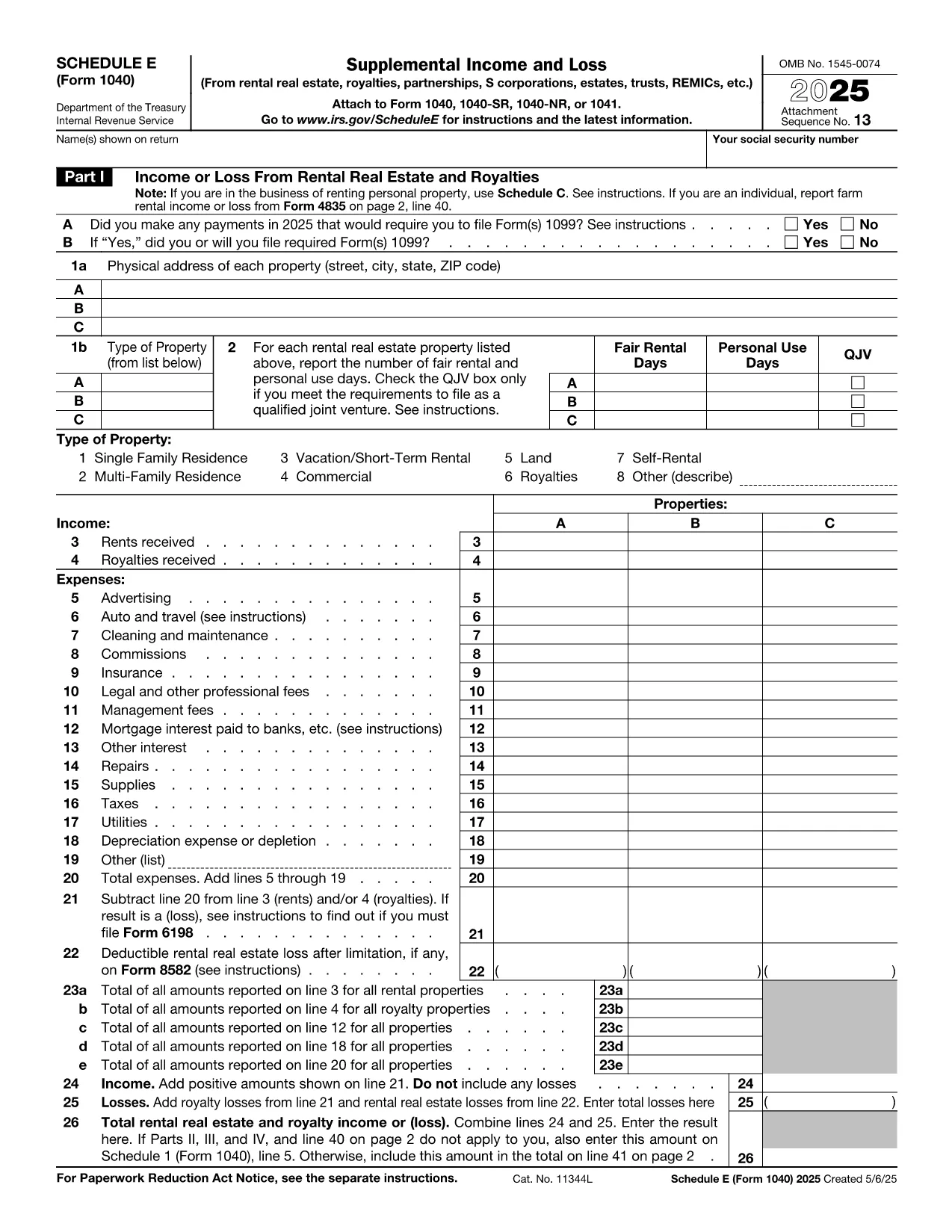

納税フォーム
tax form e は、税金に関する情報を関連する税務当局に報告するために使用される文書である納税申告書の 1 つです。納税者の状況や場所によって、連邦税、州税、地方税など、さまざまな種類の納税申告書があります。

Schedule E (Form 1040‑SE) is the IRS tax form used to report supplemental income and loss from rentals, royalties, partnerships, S‑corporations, estates, trusts, and more. Filling it out correctly can affect your tax liability, so having a reliable, fillable PDF makes the process faster and error‑free.
Schedule E is part of the individual income tax return (Form 1040). It captures income or loss from:
The form is required for any taxpayer who received a Schedule K‑1 or earned rental income during the tax year.
Instead of downloading the PDF and opening a separate editor, simply click the “Fill out this form” button on this page. The Formize PDF Filler app loads in your browser, letting you enter data directly into the fillable fields.
Schedule E is attached to your Form 1040 when you e‑file or mail a paper return. The completed PDF can be saved, printed, and included with your other tax documents.
For detailed instructions, see the IRS’s official Schedule E instructions. If you have specific questions about your K‑1 or rental calculations, consult a qualified tax professional.
No. The Formize PDF Filler runs entirely in your web browser, so there’s nothing to install.
Yes. Open the saved PDF again with Formize or any standard PDF editor to make changes.
Yes. The PDF follows the exact IRS layout, so the printed version is identical to the official paper form.
Use the “Undo” button or simply click into the field and correct the entry. The validator will flag any remaining errors before you save.
Many taxpayers can complete it themselves, but complex partnership, royalty, or depreciation calculations may benefit from professional advice.
No. Formize processes the PDF locally in your browser; nothing is uploaded or stored on external servers.
tax form e は、税金に関する情報を関連する税務当局に報告するために使用される文書である納税申告書の 1 つです。納税者の状況や場所によって、連邦税、州税、地方税など、さまざまな種類の納税申告書があります。
オンラインで PDF フォームに記入する最も簡単な方法
フィルセッションを削除
編集セッションを削除する
