


application form g テンプレート
PDF ドキュメントを表示および入力するための従来の一連の機能に、Web アプリケーションおよびレスポンシブ レイアウトの利点を組み合わせることで、数分で application form g を完成させることができます。
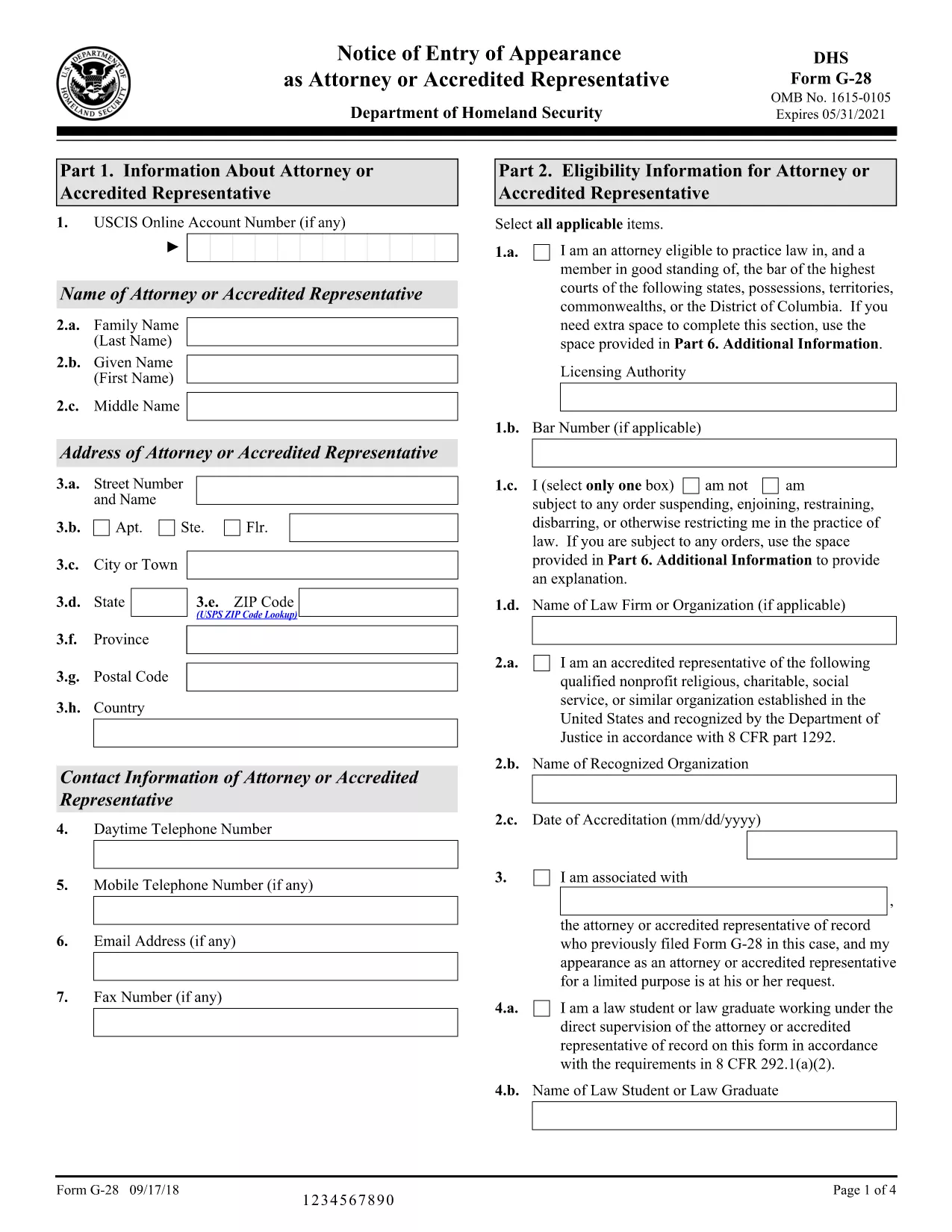
If you’re looking for a quick and reliable way to complete Application Form G for USCIS, you’ve landed on the right page. Form G‑28, also known as the Notice of Entry of Appearance as Attorney or Accredited Representative, is a standard fillable PDF used by immigration attorneys and their clients across the United States.
Form G‑28 is required whenever an attorney or accredited representative files an immigration application on behalf of a client. It officially notifies U.S. Citizenship and Immigration Services (USCIS) that the individual has legal representation.
Instead of downloading the PDF and opening it in a separate editor, simply click the "Fill out this form" button on this page. The Formize PDF Filler app will load directly in your browser, letting you type, sign, and save the document without leaving the site.
After you finish, download the completed PDF and attach it to the appropriate immigration petition (e.g., I‑130, N‑400, I‑485). You can also upload it directly through your USCIS online account.
Review the official USCIS instructions for detailed guidance, or consult an immigration attorney if you have complex questions.
No. With Formize you can fill the form entirely online – just click the "Fill out this form" button and the PDF loads in the browser.
Yes. The Formize filler lets you add a typed signature or upload a scanned image. USCIS accepts electronic signatures for this form.
Only when an attorney or accredited representative is filing on behalf of a client. If you are filing on your own, you do not need this form.
You can edit any field while using the online filler. After downloading, you can reopen the PDF in Formize to correct errors before submission.
Attach it to the primary immigration petition you are filing (e.g., I‑130, I‑485) either by uploading through your USCIS online account or by mailing it with the paper application.
No. Formize offers free online filling for standard USCIS PDFs like Form G‑28.
PDF ドキュメントを表示および入力するための従来の一連の機能に、Web アプリケーションおよびレスポンシブ レイアウトの利点を組み合わせることで、数分で application form g を完成させることができます。
オンラインで PDF フォームに記入する最も簡単な方法
フィルセッションを削除
編集セッションを削除する