


USCIS I-130 テンプレート
PDF ドキュメントを表示および入力するための従来の一連の機能に、Web アプリケーションおよびレスポンシブ レイアウトの利点を組み合わせることで、数分で USCIS I-130 を完成させることができます。
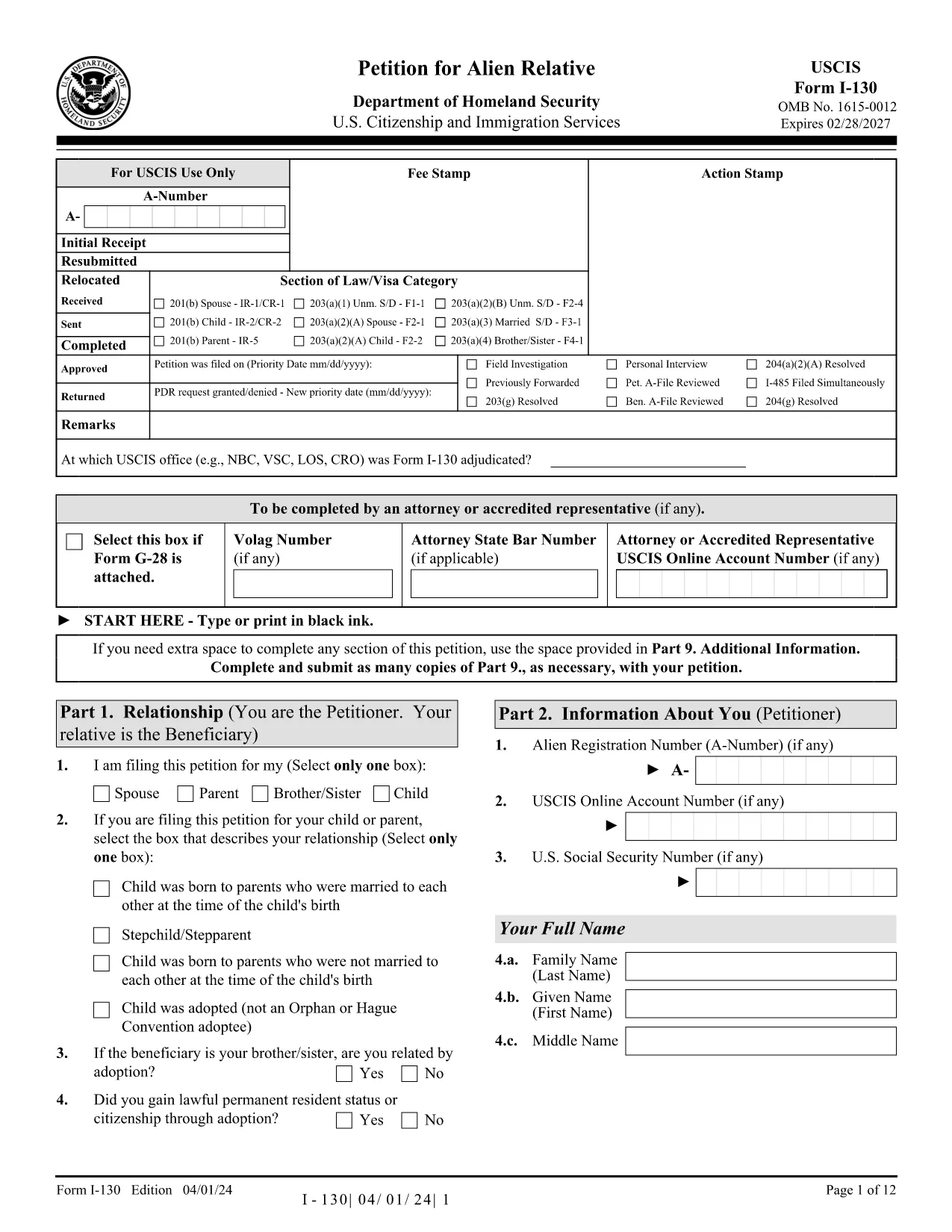
The USCIS Form I-130 (Application for Alien Relative) is the first step in sponsoring a family member for a U.S. green card. Instead of printing, printing, and handwriting, you can now fill the official PDF directly in your browser using Formize’s secure PDF Filler.
Follow the simple steps below; you’ll be ready to submit in minutes.
Even experienced filers slip up. Avoid these pitfalls:
After you download the completed PDF, you can either mail it to the USCIS address listed in the instructions or submit it electronically through your USCIS online account.
For detailed guidance, review the official USCIS instructions PDF linked at the bottom of the form, or consult an immigration attorney.
No. The Formize PDF Filler works in any modern browser, so you can complete the form without installing additional software.
Yes. Save a copy of the filled PDF and reopen it in the Formize filler to make changes before final submission.
Absolutely. All data is processed locally in your browser; nothing is stored on our servers.
The filler highlights invalid entries in real‑time, allowing you to correct them before you download.
The filler includes a digital signature field. You can type your name or draw a signature with your mouse/touchscreen.
Yes, if you have a USCIS online account. Upload the saved PDF under the “File Upload” section of your I-130 case.
No. The filler is free to use for any USCIS form, including Form I-130.
The filler works in Chrome, Firefox, Edge, and Safari (latest versions).
When every required field is filled, the “Save & Download” button becomes active.
A link to the official instructions PDF is included on the form page and at the bottom of the downloaded document.
PDF ドキュメントを表示および入力するための従来の一連の機能に、Web アプリケーションおよびレスポンシブ レイアウトの利点を組み合わせることで、数分で USCIS I-130 を完成させることができます。
オンラインで PDF フォームに記入する最も簡単な方法
フィルセッションを削除
編集セッションを削除する