hamburger-menu icon
Აირჩიეთ ენა

Download & Fill the USCIS Form I-130 Application Online

  1. ქვეყანა აშშ
  2. Ენა ინგლისური
  3. დეპარტამენტი USCIS
  4. აქტივობა Საიმიგრაციო
Download & Fill the USCIS Form I-130 Application Online

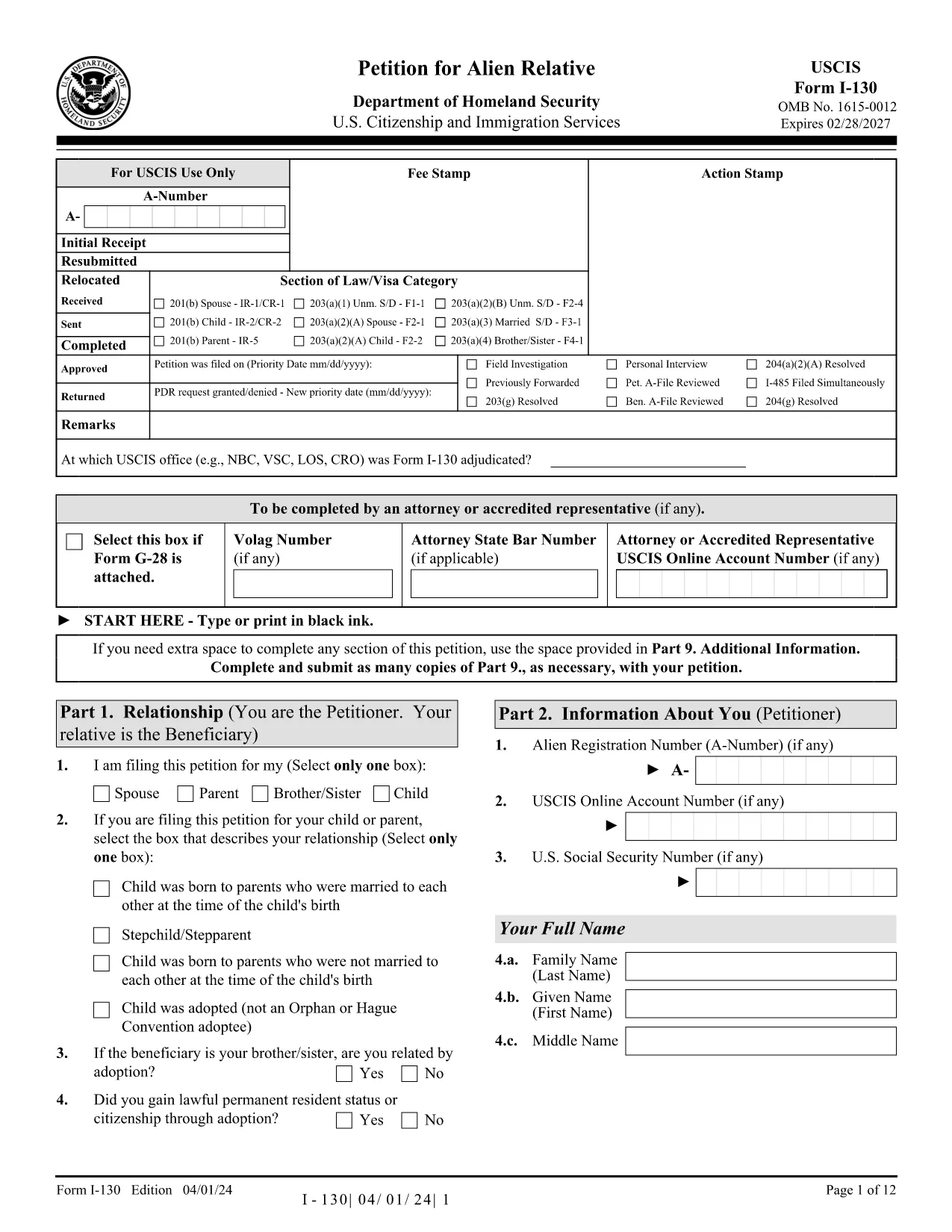
The USCIS Form I-130 (Application for Alien Relative) is the first step in sponsoring a family member for a U.S. green card. Instead of printing, printing, and handwriting, you can now fill the official PDF directly in your browser using Formize’s secure PDF Filler.

Why Choose the Fillable I-130 PDF?

  • Instant online editing – no software download required.
  • Auto‑save feature prevents lost data.
  • Built‑in validation reduces common entry errors.
  • All fields are searchable, making later review a breeze.

How to Complete the I-130 Form in Seconds

Follow the simple steps below; you’ll be ready to submit in minutes.

Common Mistakes and Tips

Even experienced filers slip up. Avoid these pitfalls:

  • Incorrect Names: Use the exact legal name as it appears on the beneficiary’s passport.
  • Missing Signature: The online filler forces you to sign before you can download.
  • Wrong Date Format: Use MM/DD/YYYY; the filler highlights any deviation.

Where to Submit Your Completed I-130

After you download the completed PDF, you can either mail it to the USCIS address listed in the instructions or submit it electronically through your USCIS online account.

Need More Help?

For detailed guidance, review the official USCIS instructions PDF linked at the bottom of the form, or consult an immigration attorney.

FAQ
  • Do I need Adobe Acrobat to fill the I-130 form?

    No. The Formize PDF Filler works in any modern browser, so you can complete the form without installing additional software.

  • Can I edit the form after I’ve downloaded it?

    Yes. Save a copy of the filled PDF and reopen it in the Formize filler to make changes before final submission.

  • Is the online filler secure?

    Absolutely. All data is processed locally in your browser; nothing is stored on our servers.

  • What if I make a mistake while typing?

    The filler highlights invalid entries in real‑time, allowing you to correct them before you download.

  • Do I still need to sign the form?

    The filler includes a digital signature field. You can type your name or draw a signature with your mouse/touchscreen.

  • Can I submit the filled PDF directly to USCIS online?

    Yes, if you have a USCIS online account. Upload the saved PDF under the “File Upload” section of your I-130 case.

  • Is there a fee for using the Formize PDF Filler?

    No. The filler is free to use for any USCIS form, including Form I-130.

  • What browsers are supported?

    The filler works in Chrome, Firefox, Edge, and Safari (latest versions).

  • How do I know if my form is fully completed?

    When every required field is filled, the “Save & Download” button becomes active.

  • Where can I find the official USCIS instructions?

    A link to the official instructions PDF is included on the form page and at the bottom of the downloaded document.

ᲠᲝᲒᲝᲠ

როგორ შეავსოთ USCIS I-130 უფასოდ, ონლაინ 4 მარტივი ნაბიჯებით:

  1. 1
    Click ‘Fill out this form’
    Press the bright “Fill out this form” button on the page. The Formize PDF Filler app loads instantly in your browser.
  2. 2
    Enter your information
    Type directly into each field. The filler validates dates, numbers, and required sections as you go.
  3. 3
    Save and download
    When every field is complete, click “Save & Download”. The filled PDF is saved to your computer, ready to print or submit electronically.
  4. 4
    Submit to USCIS
    Mail the printed form to the USCIS address shown in the instructions, or upload the PDF through your USCIS online account.
PDF შემავსებლის აპლიკაციის ფორმირება
ᲨᲔᲡᲐᲮᲔᲑ

USCIS I-130 შაბლონი

PDF დოკუმენტის სანახავად და შევსების ფუნქციების ტრადიციული ნაკრებით, ვებ აპლიკაციის უპირატესობებთან და საპასუხო განლაგებასთან ერთად, შეგიძლიათ შეავსოთ USCIS I-130 წუთებში.

ᲛᲐᲮᲐᲡᲘᲐᲗᲔᲑᲚᲔᲑᲘ

PDF შემავსებელი

ონლაინ USCIS I-130-ის შევსების უმარტივესი გზა

  • სწრაფად შეავსეთ USCIS I-130
    ეძებთ გზას სწრაფად შეავსოთ USCIS I-130 ონლაინ? ჩვენი ონლაინ უფასო PDF ფორმის შემავსებლით, თქვენ გეცოდინებათ როგორ შეცვალოთ და შეავსოთ ეს pdf დოკუმენტი ერთ წუთზე ნაკლებ დროში.
  • მარტივი გამოსაყენებელი ონლაინ PDF რედაქტორი
    მოგბეზრდათ PDF ფაილების დაბეჭდვა, რათა მათი რედაქტირება შეძლოთ, ხელახლა სკანირებამდე და უკან გაგზავნამდე? შეცვალეთ PDF დოკუმენტები უფასოდ ონლაინ. გამოიყენეთ ჩვენი ონლაინ pdf რედაქტორი დროისა და ქაღალდის დაზოგვისთვის.
  • შესანიშნავი ხელსაწყოები, ყველა პლატფორმა
    გაინტერესებთ როგორ შეავსოთ USCIS I-130 Mac-ზე, ან იქნებ როგორ გამოიყენოთ PDF შემავსებელი უფასოდ? ჩვენი ონლაინ PDF ინსტრუმენტები მუშაობს ყველა პლატფორმაზე.
  • ფაილების უსაფრთხო შენახვა
    დასრულებული „USCIS I-130“ ფაილები ინახება დაცულ მონაცემთა ბაზაში, რომელსაც მართავს Amazon Cloud ჰოსტინგი. თქვენ შეგიძლიათ წაშალოთ თქვენი ფაილები ჩვენი სისტემიდან ნებისმიერ დროს. ნებისმიერ შემთხვევაში, ეს ფაილები ავტომატურად იშლება 24 საათის შემდეგ.
  • ჩატი USCIS I-130-ით
    ესაუბრეთ „USCIS I-130“-ს Chatize-ზე, რომელიც არის PDF წამკითხველის უფასო ასისტენტი. დასვით კითხვები და მიიღეთ პასუხები „USCIS I-130“-დან. უბრალოდ დააწკაპუნეთ ღილაკზე ჩატი დოკუმენტთან ზემოთ.

შევსების სესიის წაშლა

წაშალოთ არჩეული შევსების სესია? ამ შემთხვევაში, თქვენი პროგრესი ფორმის შევსებაში დაიკარგება.

რედაქტირების სესიის წაშლა

წაშალოთ არჩეული რედაქტირების სესია? ამ შემთხვევაში, თქვენი პროგრესი ფორმის შექმნასა და რედაქტირებაში დაიკარგება.