
세금 양식
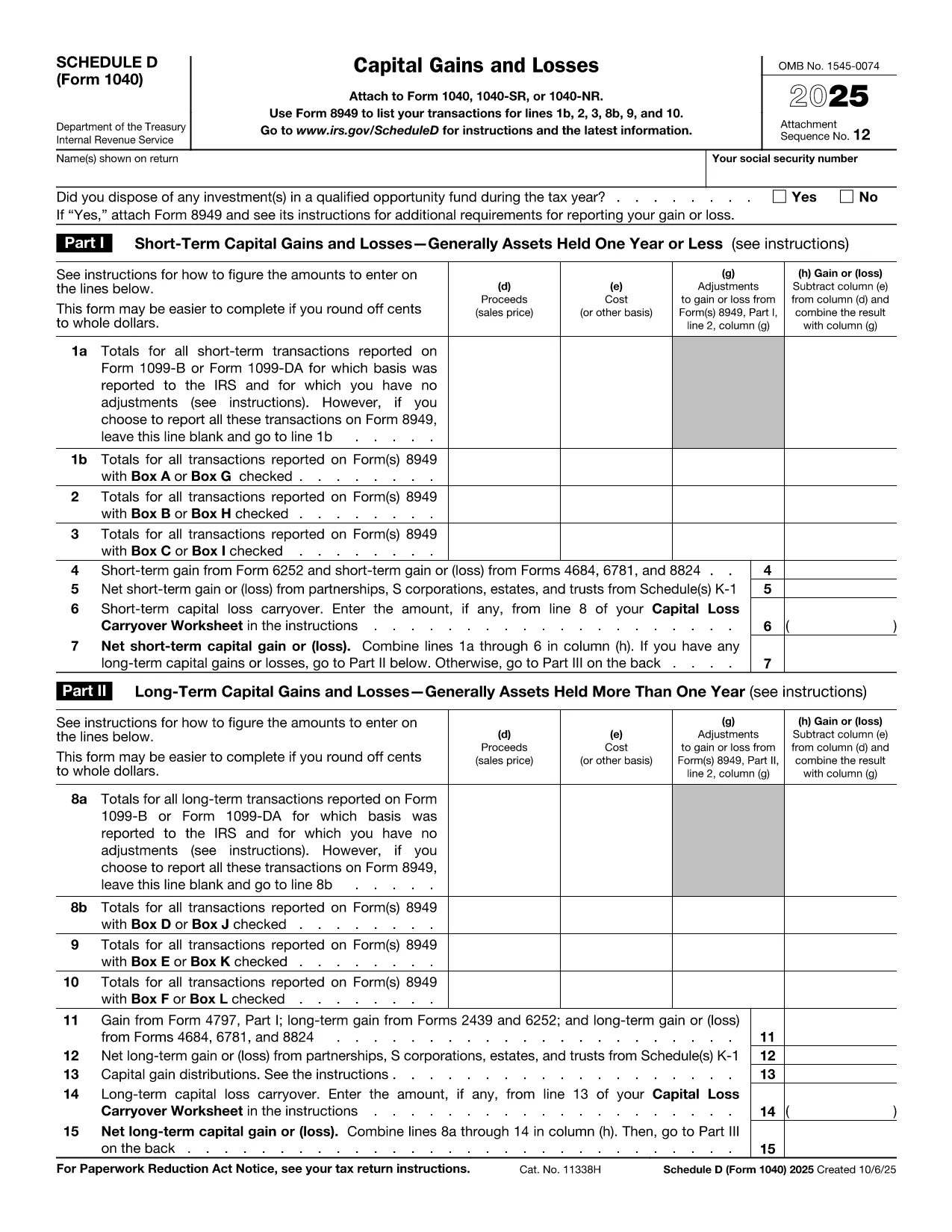
Schedule D PDF는 세금 관련 정보를 해당 세무 당국에 보고하는 데 사용되는 문서인 세금 양식 중 하나입니다. 납세자의 상황과 위치에 따라 연방, 주 및 지방 세금 양식을 포함하여 다양한 유형의 세금 양식이 있습니다.

Schedule D (Form 1040SD) is the IRS worksheet used to report capital gains and losses from the sale of stocks, bonds, real estate, and other investment assets. Whether you’re a first‑time filer or a seasoned investor, a correctly completed Schedule D can lower your tax bill and keep the IRS happy.
Formize.com offers a fillable, web‑based PDF version of Schedule D. No need to download a PDF editor – simply click the Fill out this form button, wait for the Formize PDF Filler to load, and start entering your numbers.
Schedule D is required when you have:
If any of these apply to you, you must attach Schedule D to your Form 1040.
Follow the simple steps below to complete the form online. The Formize PDF Filler automatically saves your progress, validates numeric fields, and lets you download a printable PDF when you’re done.
Even small errors can delay processing. Keep these tips in mind:
When you’re ready, click the button below, fill the fields, review your entries, and download the completed Schedule D.
Yes. Any sale of capital assets that results in a gain or loss must be reported on Schedule D, even if you have only one transaction.
Absolutely. The PDF Filler works in modern browsers on smartphones and tablets, so you can complete Schedule D on the go.
You can reopen the same Formize link, re‑enter the corrected data, and download a new PDF. The filler does not store personal data after you close the session.
Yes. Formize offers the PDF filler for Schedule D at no cost. There are no hidden fees or subscription requirements.
Enter the carryover amount on line 16 of Schedule D. The Formize filler includes a dedicated field for this entry.
If you have detailed transactions, you must attach Form 8949. Schedule D summarizes the totals from Form 8949.
You can copy the totals directly into Schedule D. Ensure the amounts match the 1099‑B and reconcile any differences on Form 8949.
Most tax software accepts the PDF data when you import your return. If your software does not, you can manually enter the numbers from the completed Schedule D.
Schedule D PDF는 세금 관련 정보를 해당 세무 당국에 보고하는 데 사용되는 문서인 세금 양식 중 하나입니다. 납세자의 상황과 위치에 따라 연방, 주 및 지방 세금 양식을 포함하여 다양한 유형의 세금 양식이 있습니다.
온라인에서 PDF 양식을 채우는 가장 쉬운 방법
필링 세션 삭제
편집 세션 삭제
