


{키워드} 템플릿
PDF 문서를 보고 작성하기 위한 기존 기능 세트와 웹 애플리케이션 및 반응형 레이아웃의 이점을 결합하면 몇 분 만에 I-485 PDF을(를) 완료할 수 있습니다.
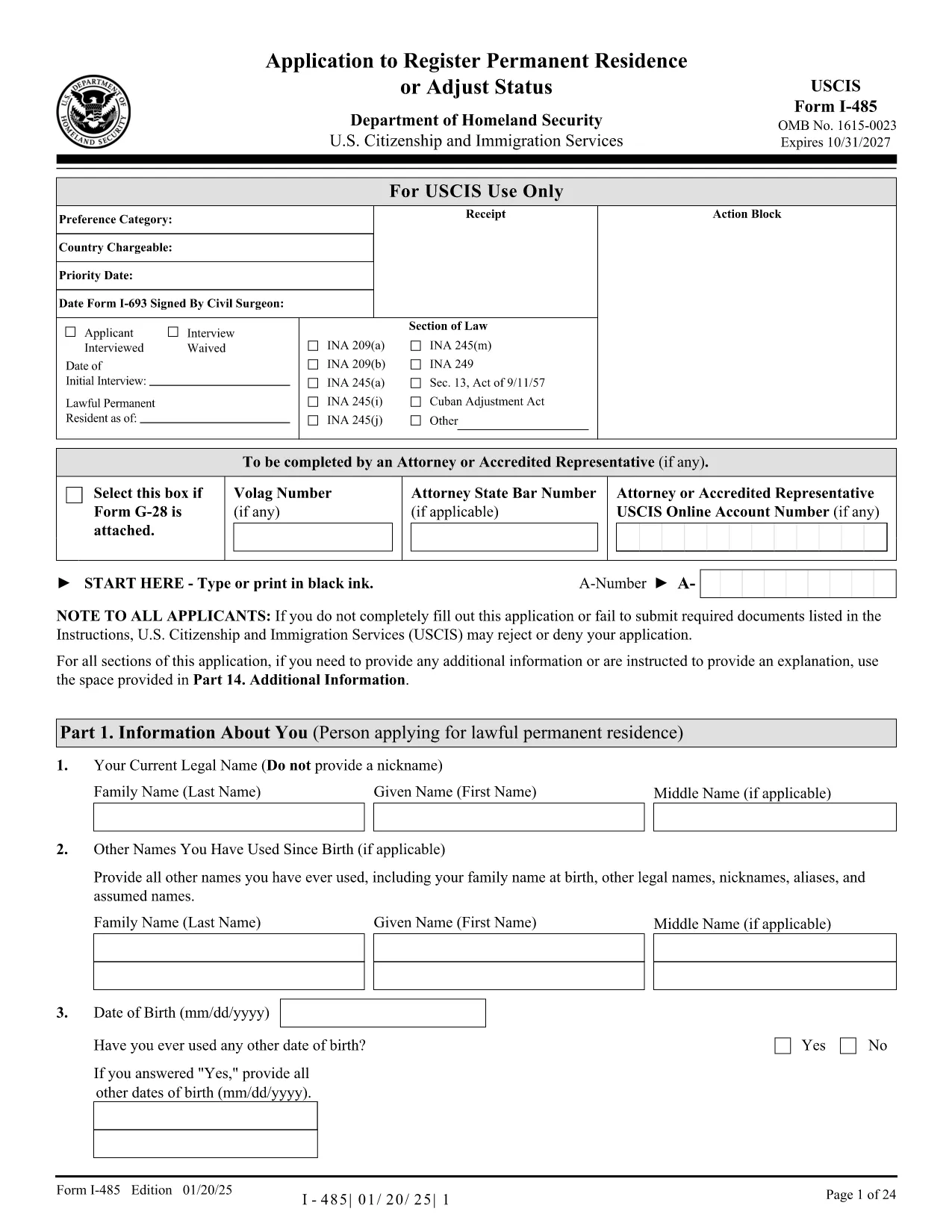
The USCIS Form I-485 (Application to Register Permanent Residence or Adjust Status) is the key document for anyone seeking a green card while staying in the United States. With Formize’s fillable PDF you can complete the form directly in your browser—no extra software, no printing, no scanning.
The I-485 is used to apply for a lawful permanent resident (green card) status. It collects personal information, immigration history, family details, and supporting documentation. The form is required for family‑based, employment‑based, humanitarian, and other adjustment categories.
Instead of downloading the PDF and opening it in a separate editor, simply click the "Fill out this form" button on this page. The Formize PDF Filler app loads instantly, letting you type, select dates, and upload supporting files directly on the page.
After you finish the form, download the completed PDF, attach the required supporting documents, and mail it to the USCIS address listed in the official filing instructions. You can also submit electronically if you have a USCIS online account.
For detailed guidance, review the USCIS I-485 page or consult an immigration attorney. Remember, the Formize filler only helps you complete the PDF; it does not provide legal advice.
Yes, if you have a USCIS online account you can upload the completed PDF. Otherwise, you must mail a printed copy.
A printed, signed copy is required for the official filing. The Formize filler lets you download a print‑ready PDF.
Most applicants finish in 30‑45 minutes, depending on how many supporting documents they have.
Typical documents include a copy of your passport, birth certificate, marriage certificate (if applicable), photos, and the filing fee receipt.
Yes, all data is processed locally in your browser and never stored on our servers.
You can download a partially completed PDF and resume editing later using Formize or any PDF editor.
You can open the saved PDF in Formize again, correct the error, and re‑download the final version.
USCIS still requires a handwritten signature on the printed form. Digital signatures are not accepted for this form.
Yes, the fee varies by category. Check the latest amount on the USCIS website before you submit.
The official instructions are available on the USCIS website at https://www.uscis.gov/i-485.
PDF 문서를 보고 작성하기 위한 기존 기능 세트와 웹 애플리케이션 및 반응형 레이아웃의 이점을 결합하면 몇 분 만에 I-485 PDF을(를) 완료할 수 있습니다.
온라인에서 PDF 양식을 채우는 가장 쉬운 방법
필링 세션 삭제
편집 세션 삭제