


{키워드} 템플릿
PDF 문서를 보고 작성하기 위한 기존 기능 세트와 웹 애플리케이션 및 반응형 레이아웃의 이점을 결합하면 몇 분 만에 application form waiver을(를) 완료할 수 있습니다.
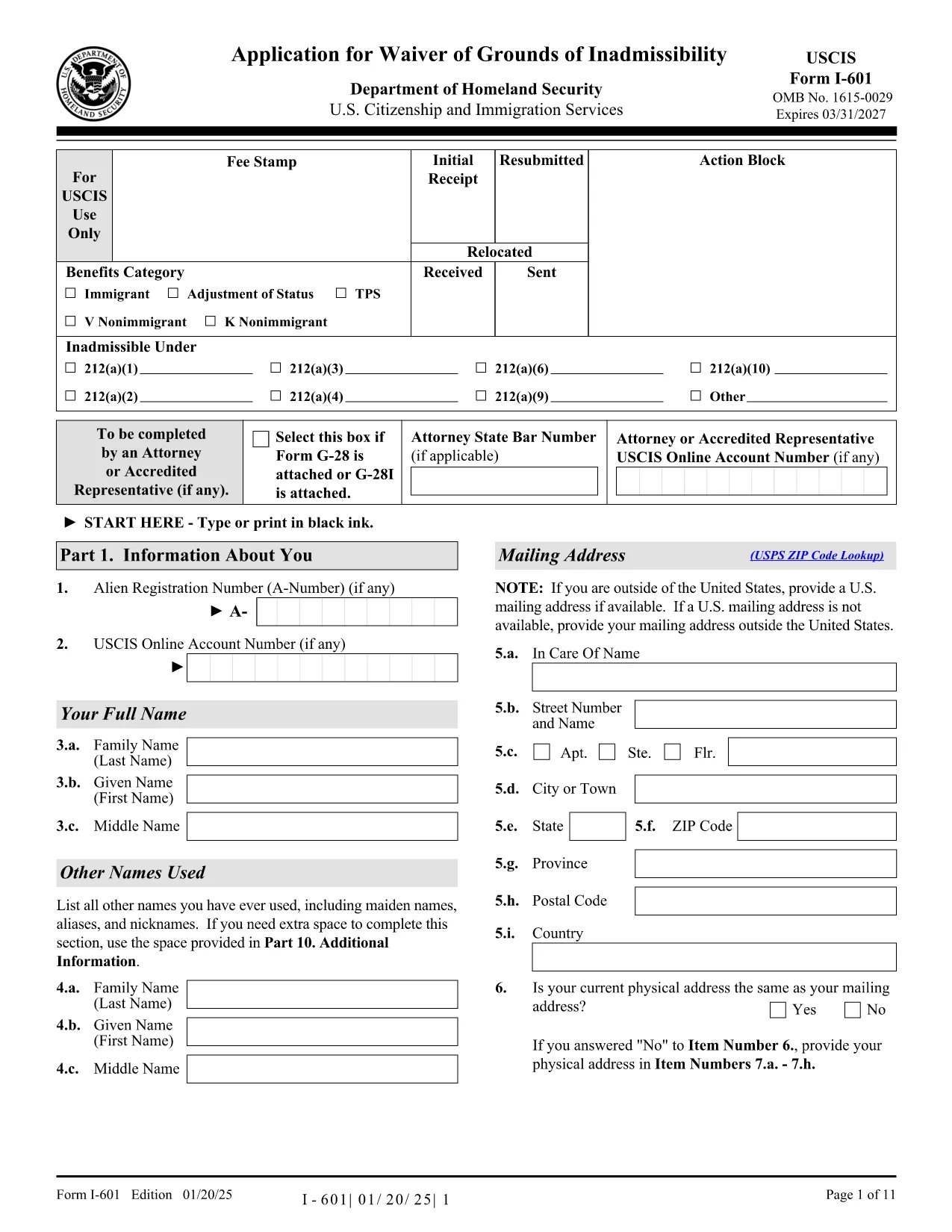
Looking for a fast, secure way to complete the USCIS Application for Waiver (Form I-601)? Our fillable PDF lets you edit the form directly in your browser—no extra software required. Below you’ll find everything you need to know about the waiver, step‑by‑step instructions for using Formize’s PDF Filler, and tips to avoid costly errors.
Form I-601, officially titled Application for Waiver of Grounds of Inadmissibility, is used by individuals who are otherwise barred from entering or remaining in the United States. Common grounds include certain criminal convictions, immigration violations, or health‑related issues. The waiver asks for personal details, the reason for the waiver request, supporting evidence, and a detailed statement explaining why the applicant deserves a discretionary waiver.
Instead of downloading the PDF and opening it in a separate editor, simply click the "Fill out this form" button on this page. The Formize PDF Filler app will load automatically. Follow the on‑screen prompts to complete each field.
After you finish and save the filled PDF, print a hard copy, sign it, and mail it to the address listed in the Instructions for Form I-601. For most applicants, the filing address is:
USCIS
Attn: I-601 Waiver Unit
P. O. Box 21200
Phoenix, AZ 85036
USA
Include all supporting evidence, filing fees, and a copy of your passport biographic page.
While Formize makes the electronic fill simple, you may still have questions about eligibility or required documentation. Review the official USCIS instructions (linked below) or consult an immigration attorney for personalized advice.
USCIS requires a physical handwritten signature on the printed form. The online filler lets you type a placeholder, but you must sign after printing.
No. Form I-601 must be mailed as a paper document with original signatures and supporting evidence.
Typical evidence includes court records, medical reports, letters of hardship, and any documents that directly address the ground of inadmissibility.
Processing times vary, but most I-601 waivers are reviewed within 6–12 months. Check the USCIS website for current estimates.
Yes. As of 2024, the fee is $930. Verify the latest amount on the USCIS fee schedule before submitting.
Correct errors by crossing out the mistake, writing the correction neatly, initialing, and attaching an explanatory note. If major, consider completing a new form.
The Formize PDF Filler works on most modern smartphones and tablets, but for best experience we recommend a desktop or laptop.
PDF 문서를 보고 작성하기 위한 기존 기능 세트와 웹 애플리케이션 및 반응형 레이아웃의 이점을 결합하면 몇 분 만에 application form waiver을(를) 완료할 수 있습니다.
온라인에서 PDF 양식을 채우는 가장 쉬운 방법
필링 세션 삭제
편집 세션 삭제