
Select language

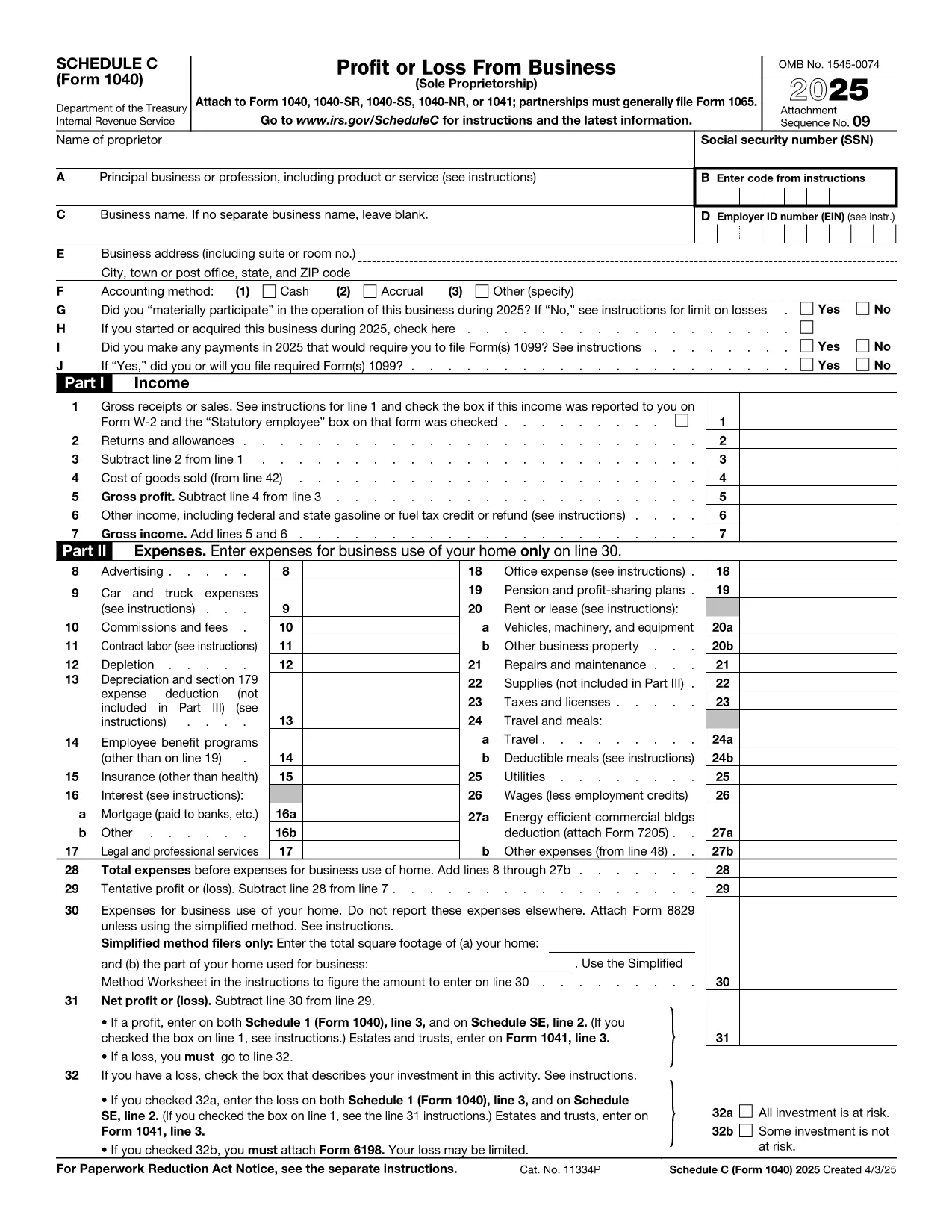
Fillable IRS Schedule C (Form 1040) – Profit or Loss from Business

  1. Country USA
  2. Language English
  3. Activity Taxes
  4. Department IRS
Fill out this form
Fillable IRS Schedule C (Form 1040) – Profit or Loss from Business

Schedule C (Form 1040) is the official IRS tax form used by sole proprietors, freelancers, and single‑member LLCs to report profit or loss from a business. With the fillable Schedule C PDF hosted on Formize, you can complete the entire form directly in your browser—no extra software required.

Our online Schedule C PDF filler automatically saves your entries, validates numeric fields, and lets you download a clean, printable version once you’re done. This speeds up the filing process and reduces the risk of errors that often trigger IRS notices.

Below you’ll find a quick overview of the form’s sections, helpful tips for each line, and a simple How‑to guide that walks you through the online completion process.

Whether you’re filing your first self‑employment return or updating an existing business, this page gives you everything you need to file Schedule C accurately and efficiently.

FAQ
  • Do I need to download the Schedule C PDF to fill it out?

    No. With Formize you fill the form directly in the browser. Just click the “Fill out this form” button and the PDF loads in the online filler.

  • Is the fillable Schedule C accepted by the IRS?

    Yes. The PDF is the official IRS Schedule C (Form 1040). After you complete it, you can print or electronically attach the saved PDF to your tax return.

  • Can I save my progress and return later?

    Absolutely. The Formize PDF Filler lets you save a draft to your computer or cloud storage, so you can continue editing at any time.

  • What common mistakes should I avoid on Schedule C?

    Watch out for mis‑typed EINs, forgetting to report all income, and entering expenses in the wrong categories. Our guide highlights the most frequent errors.

  • Do I need special software like Adobe Acrobat to use this form?

    No special software is required. The Formize filler works in any modern browser (Chrome, Edge, Firefox, Safari).

  • Where can I get help if I have questions about my Schedule C?

    The IRS provides detailed instructions on the Schedule C page, and you can also consult a tax professional. Our FAQ section covers the most common queries.

HOW TO

How to fill out IRS Schedule C for free, online in 3 easy steps:

  1. 1
    Click the Fill‑out Button
    On this page, press the bright “Fill out this form” button. This launches the Formize PDF Filler app in a new tab.
  2. 2
    Wait for the Formize PDF Filler to Load
    The app loads the Schedule C PDF automatically. All fields become interactive, and you’ll see a progress bar at the top.
  3. 3
    Complete, Save, and Download
    Enter your information line‑by‑line, click “Save” whenever you like, and when you’re finished press “Download PDF” to get a printable copy for your tax return.
Formize PDF Filler app
ABOUT

Tax forms

IRS Schedule C is one of Tax forms that are documents used to report information related to taxes to the relevant tax authority. There are various types of tax forms, including federal, state, and local tax forms, which can vary depending on the taxpayer's circumstances and location.

FEATURES

PDF Filler

The easiest way to fill IRS Schedule C online

  • Quickly fill out IRS Schedule C
    Looking for a way to quickly fill IRS Schedule C online? With our online free PDF form filler, you’ll know how to how to edit and fill this pdf document in less than a minute.
  • Easy to use online PDF editor
    Fed up with printing out PDF files so you can edit them, before rescanning and sending them back? Edit PDF documents for free online. Use our online pdf editor to save time and paper.
  • Great tools, all platforms
    Wondering how to fill in IRS Schedule C on a Mac, or maybe how to use a PDF filler free? Our online PDF tools work on all platforms.
  • Secure file storage
    Completed "IRS Schedule C" files are stored in a secured database managed by Amazon Cloud hosting. You can delete your files from our system anytime. In any case, these files are automatically deleted after 24 hours.
  • Chat with IRS Schedule C
    Chat with "IRS Schedule C" on Chatize that is a free PDF reader assistant. Ask questions and get answers from "IRS Schedule C". Just click on Chat With Document button above.

Delete filling session

Delete the selected filling session? In this case, your progress in completing the form will be lost.

Delete editing session

Delete the selected editing session? In this case, your progress in creating and editing the form will be lost.