Selecteaza limba

Fillable I‑130 Petition for Alien Relative (PDF)

  1. Țară STATELE UNITE ALE AMERICII
  2. Limba Engleză
  3. Departament USCIS
  4. Activitate Imigrare
Fillable I‑130 Petition for Alien Relative (PDF)

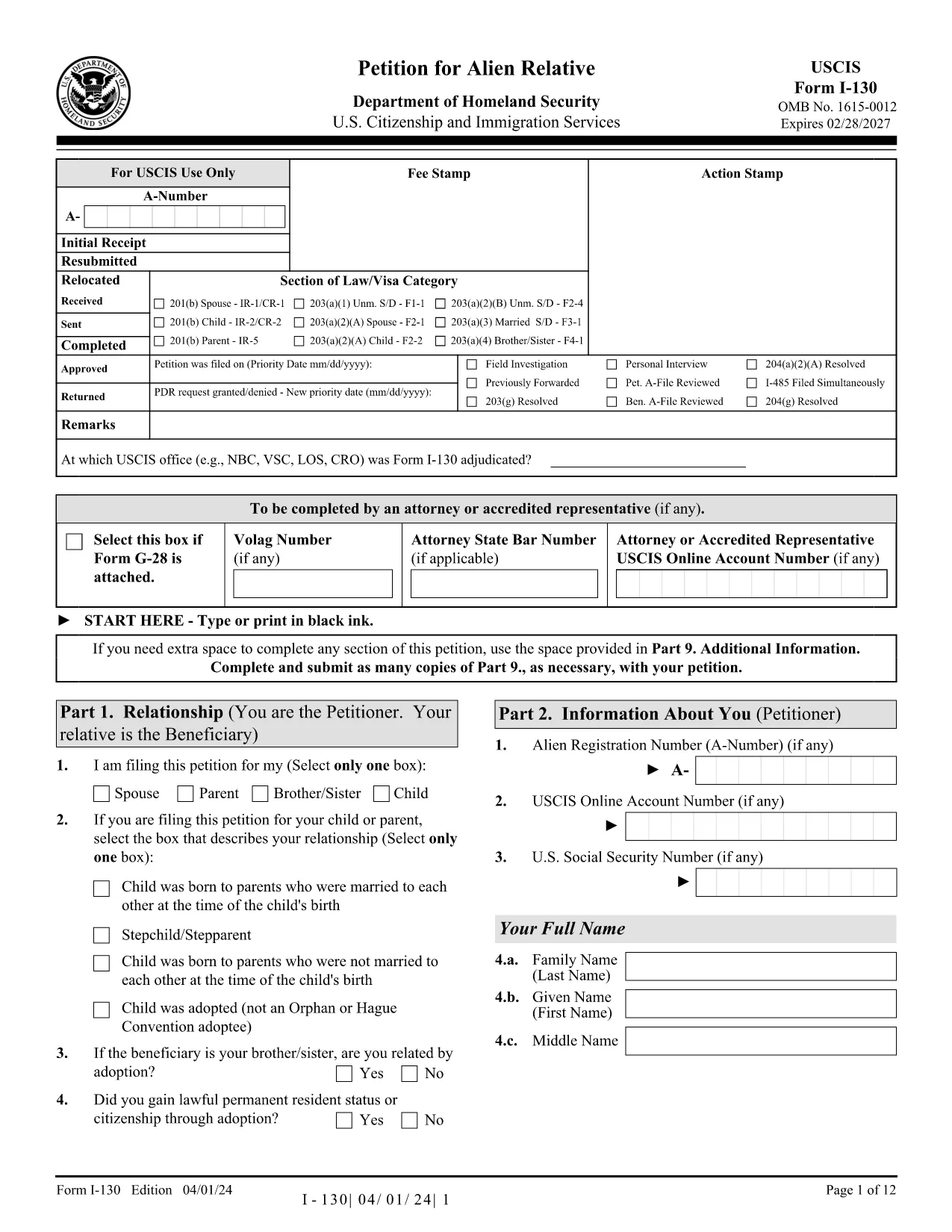
The I‑130, Petition for Alien Relative is the first step for U.S. citizens and permanent residents who want to bring a family member to the United States. With Formize you can fill out the official USCIS PDF directly in your browser—no extra software required.

What Is the I‑130 Form?

The I‑130 establishes a qualifying relationship between the petitioner (U.S. citizen or lawful permanent resident) and the beneficiary (spouse, child, parent, or sibling). Once approved, the beneficiary can apply for an immigrant visa or adjustment of status.

How to Complete the I‑130 Online with Formize

Instead of downloading the PDF and opening it in a separate editor, simply click the "Fill out this form" button below. The Formize PDF Filler app will load in seconds, letting you type, check boxes, and add signatures directly on the page.

Common Mistakes to Avoid

  • Leaving required fields blank – the filler highlights missing information before you submit.
  • Using an outdated version of the form – our link always points to the latest USCIS PDF.
  • Uploading the wrong supporting documents – double‑check the USCIS checklist for your relationship category.

Where to Submit Your Petition

After completing the form, download the filled PDF and mail it to the address listed in the Instructions for Form I‑130. You can also submit electronically through the USCIS online portal if you prefer.

Need More Help?

Review the official USCIS instructions, consult an immigration attorney, or visit the USCIS website for detailed filing fees and processing times.

Fill out this form

FAQ
  • Can I submit the I‑130 form directly from Formize?

    Formize provides a fillable version only. After completing the form you must download the PDF and mail it to USCIS or upload it via the USCIS online portal.

  • Is the Formize version the latest USCIS I‑130?

    Yes. The link always points to the current official PDF from the USCIS website.

  • Do I need a digital signature?

    USCIS still requires a handwritten signature on the printed form. You can add a typed signature in Formize, print, and sign manually.

  • How much does it cost to file an I‑130?

    As of 2024, the filing fee is $535. Check the USCIS fee schedule for any updates.

  • What supporting documents are required?

    Proof of U.S. citizenship or permanent residence, evidence of the qualifying relationship (birth certificates, marriage certificate, etc.), and any required translations.

  • Can I edit the form after I download it?

    Yes, you can reopen the downloaded PDF in any PDF editor, but it’s easier to correct errors before downloading using Formize’s built‑in validation.

  • How long does USCIS take to process an I‑130?

    Processing times vary by relationship category and service center. Typical times range from 6 to 12 months.

CUM SĂ

Cum să completați I-130 form gratuit, online, în 3 pași simpli:

  1. 1
    Click the Fill‑out Button
    Press the "Fill out this form" button on the page. The Formize PDF Filler loads instantly in a new window.
  2. 2
    Wait for the Filler to Load
    The app initializes the official I‑130 PDF. All fields become editable; you can start typing right away.
  3. 3
    Complete, Save, and Download
    Enter all required information, double‑check highlighted errors, then download the completed PDF to print or mail to USCIS.
Aplicația Formize PDF Filler
DESPRE

șablon I-130 form

Cu setul tradițional de caracteristici pentru vizualizarea și completarea unui document PDF, combinat cu beneficiile unei aplicații web și a unui aspect receptiv, puteți completa I-130 form în câteva minute.

CARACTERISTICI

Filler PDF

Cel mai simplu mod de a completa I-130 form online

  • Completați rapid I-130 form
    Căutați o modalitate de a completa rapid I-130 form online? Cu ajutorul nostru online gratuit de completare a formularelor PDF, veți ști cum să editați și să completați acest document pdf în mai puțin de un minut.
  • Editor PDF online ușor de utilizat
    Sătul de tipărirea fișierelor PDF pentru a le putea edita, înainte de a le rescana și a le trimite înapoi? Editați documente PDF gratuit online. Utilizați editorul nostru online de pdf pentru a economisi timp și hârtie.
  • Instrumente grozave, toate platformele
    Vă întrebați cum să completați I-130 form pe un Mac sau poate cum să utilizați un fișier PDF gratuit? Instrumentele noastre PDF online funcționează pe toate platformele.
  • Stocare securizată a fișierelor
    Fișierele „I-130 form” finalizate sunt stocate într-o bază de date securizată gestionată de Amazon Cloud hosting. Puteți șterge oricând fișierele din sistemul nostru. În orice caz, aceste fișiere sunt șterse automat după 24 de ore.
  • Chat cu I-130 form
    Conversați cu „I-130 form” pe Chatize, care este un asistent de citire PDF gratuit. Puneți întrebări și obțineți răspunsuri de la „I-130 form”. Doar faceți clic pe butonul Conversați cu documentul de mai sus.

Ștergeți sesiunea de umplere

Ștergeți sesiunea de umplere selectată? În acest caz, progresul dumneavoastră în completarea formularului se va pierde.

Ștergeți sesiunea de editare

Ștergeți sesiunea de editare selectată? În acest caz, progresul dvs. în crearea și editarea formularului se va pierde.