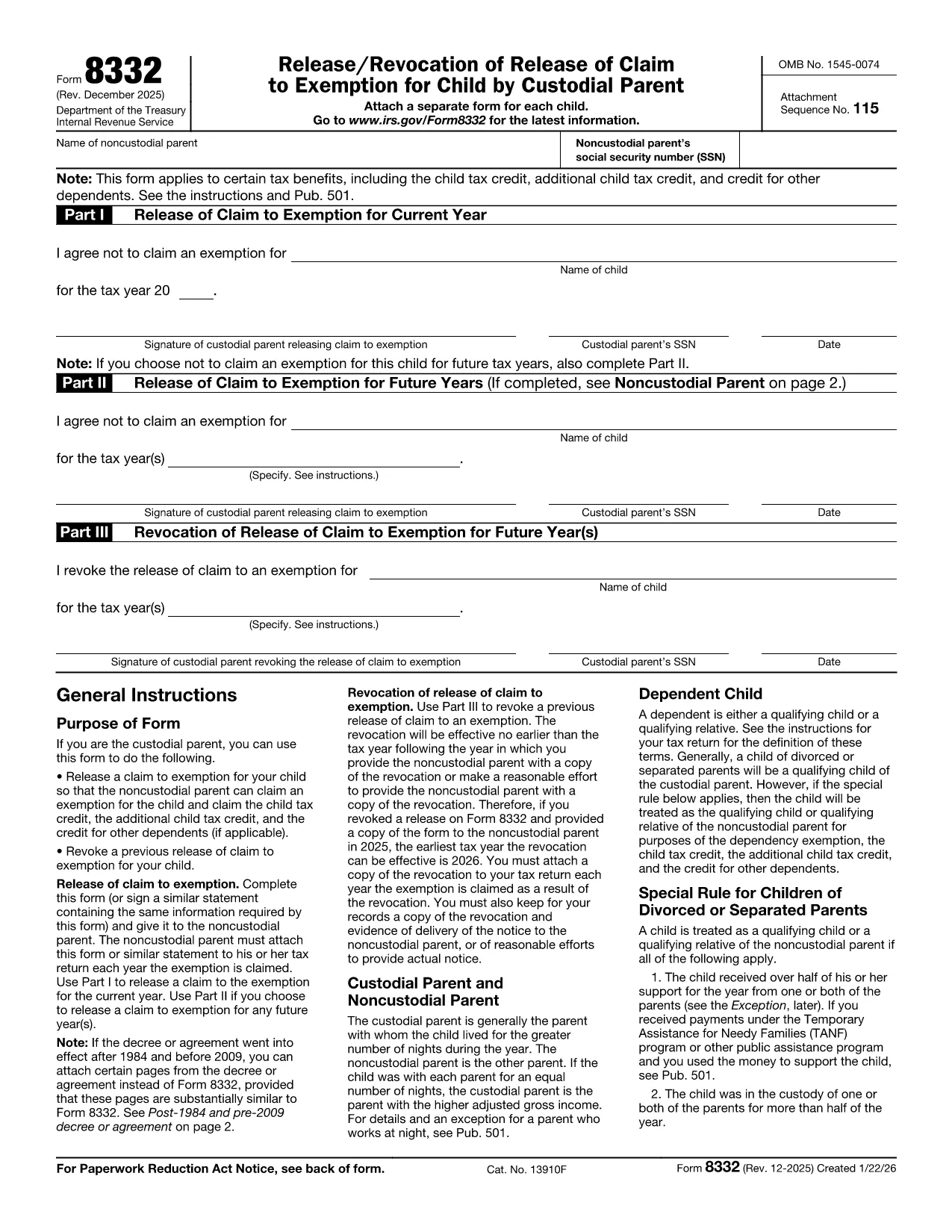

税务表格
IRS Form 8332 是一种税表,是用于向相关税务机关报告与税收相关的信息的文件。有多种类型的税表,包括联邦、州和地方税表,它们可能因纳税人的情况和地点而异。
When you need to release or claim a child’s tax exemption, IRS Form 8332 is the official document the Internal Revenue Service requires. Instead of printing, scanning, or wrestling with a static PDF, Formize lets you fill the form online, save it instantly, and download a completed copy ready for submission.
Form 8332, Release/Revocation of Release of Claim to Exemption for Child, is used by custodial parents to allow the non‑custodial parent to claim the child’s exemption, child tax credit, additional child tax credit, or credit for other dependents. The form works for a single year or can be signed for multiple years.
Traditional PDF forms require a separate editor, which can be slow and error‑prone. Our fillable PDF solution offers:
Follow the simple steps below and you’ll have a completed, IRS‑approved Form 8332 in minutes.
The custodial parent (the parent who the child lived with for the greater part of the year) signs to release the exemption. The non‑custodial parent then signs to accept the claim.
Yes. You can sign the form for a single tax year or write “All future years” in the appropriate box to cover multiple years.
Attach a copy of the signed Form 8332 to the tax return of the parent claiming the exemption. Keep the original for your records.
Absolutely. The IRS accepts electronically completed PDFs as long as the signatures are legible and the form is printed or saved exactly as displayed.
Complete a new Form 8332 and check the “Revocation” box. The new form overrides the earlier release.
After you download the completed PDF, you can’t edit it without a PDF editor. That’s why it’s best to finish all entries before clicking “Save PDF”.
No. Formize offers the online filler for free for IRS forms like Form 8332.
The filler works with modern browsers such as Chrome, Edge, Firefox, and Safari.
在线填写 PDF 表单的最简单方法
删除填充会话
删除编辑会话
