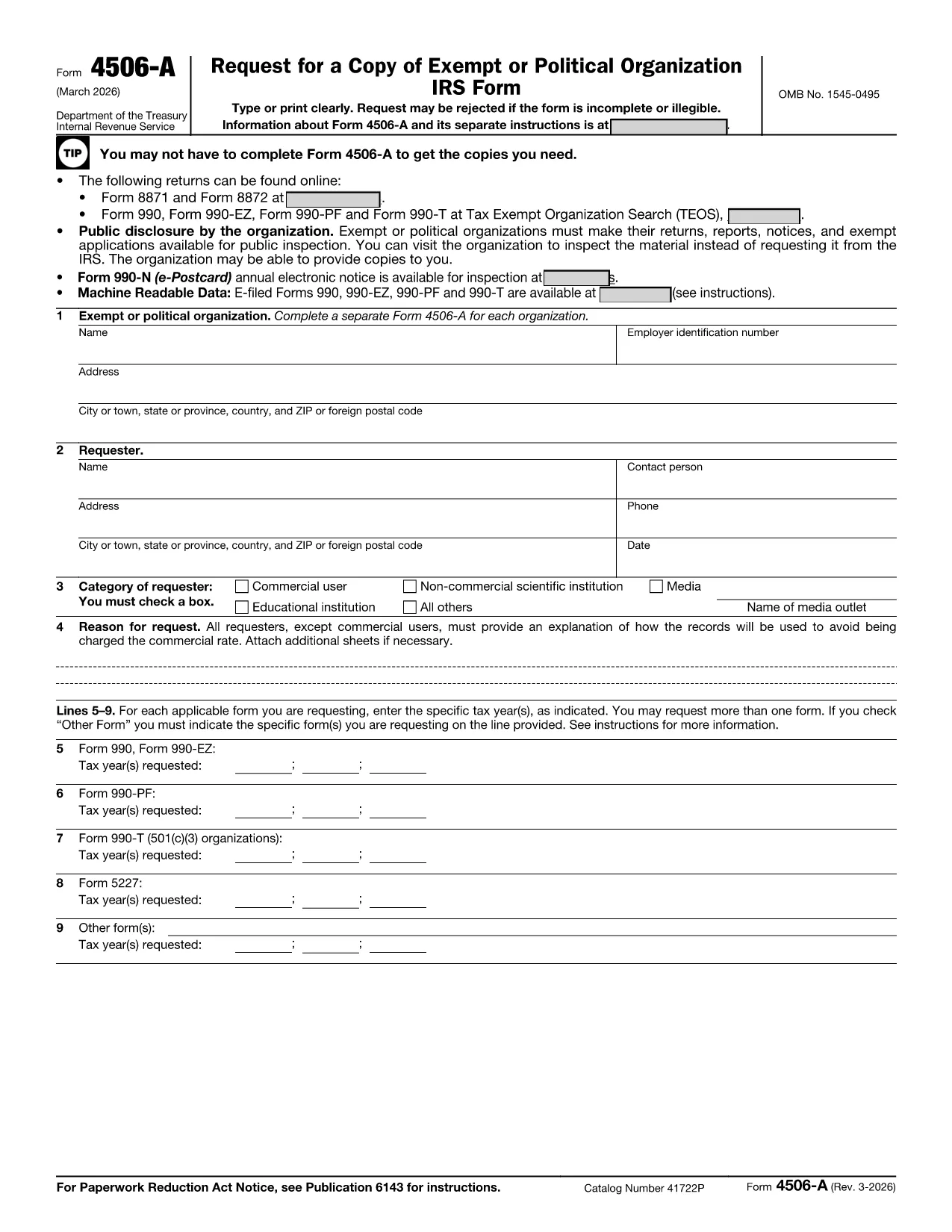
Looking for a professional request form sample that you can fill out in seconds? Our free, fillable PDF request form is designed for quick, error‑free completion. Whether you need to request records, information, or services, this form follows the official IRS Form 4506‑A layout, ensuring compliance and a familiar structure.
Why Choose a Fillable PDF Request Form
Fillable PDFs eliminate the hassle of printing, scanning, or using cumbersome desktop editors. With Formize’s cloud‑based PDF filler you can:
- Access the form from any device – desktop, tablet, or smartphone.
- Save your progress and return later.
- Submit a clean, printable copy directly from the browser.
How to Fill Out the Request Form with Formize
Follow the simple steps below – no download required. The Formize PDF Filler loads in seconds and guides you through each field.
Common Mistakes to Avoid
Even a simple request form can cause delays if filled incorrectly. Keep these tips in mind:
- Use the exact name and taxpayer identification number as shown on official documents.
- Do not leave required fields blank; the filler will highlight missing information.
- Check the date format (MM/DD/YYYY) before submitting.
Where to Submit Your Completed Request
After you finish, download the completed PDF and mail it to the address listed on the form, or upload it through the relevant agency’s online portal. For IRS requests, send to the address specified in the instructions section of Form 4506‑A.
Need help? Review the FAQs below or refer to the official IRS instructions linked at the bottom of the form.