


application form link模板
借助用于查看和填写 PDF 文档的传统功能集,结合 Web 应用程序和响应式布局的优势,您可以在几分钟内完成 application form link。
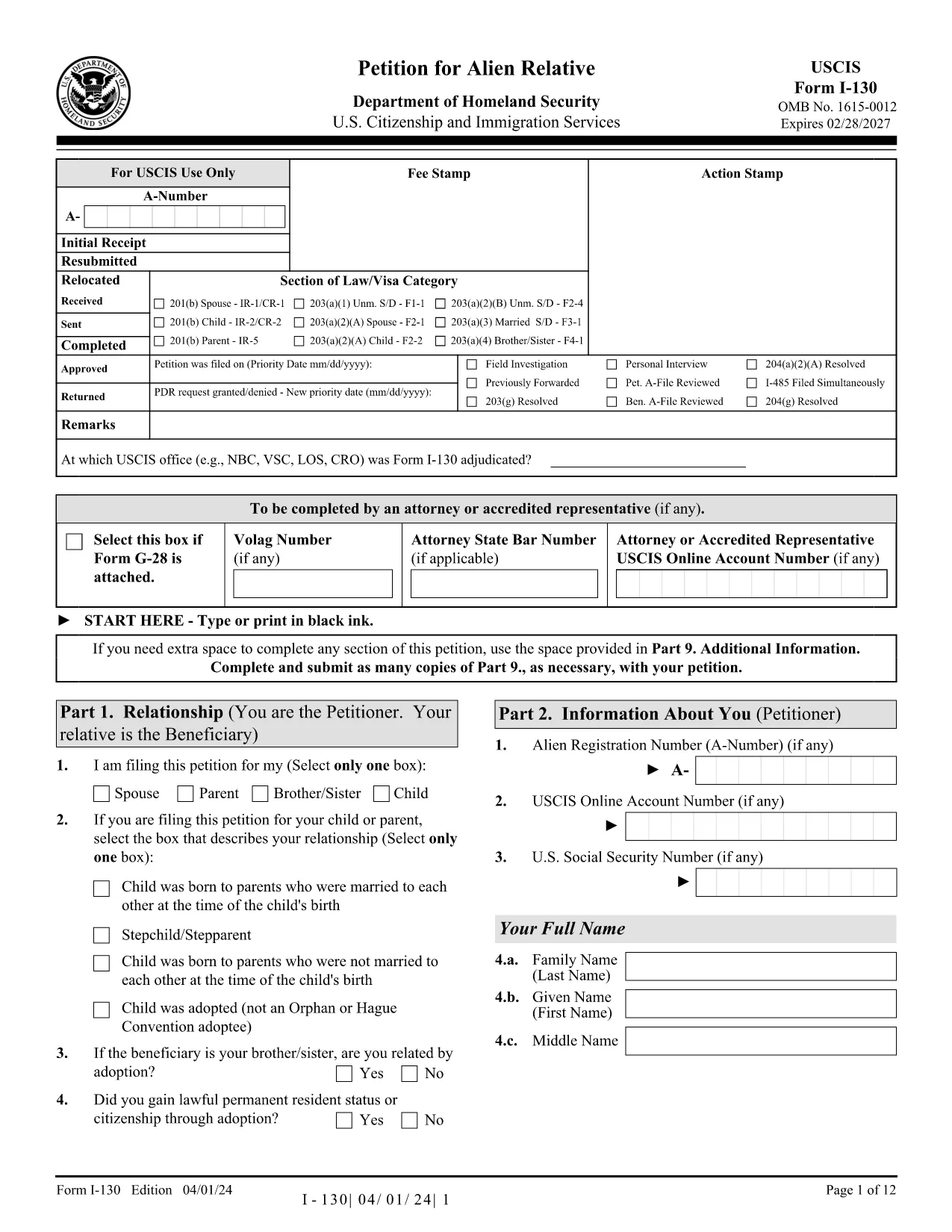
Looking for a fast, secure way to complete the USCIS Form I-130 without juggling downloads and PDF editors? You’ve landed on the right page. Our Formize PDF Filler loads the official Application for Alien Relative as a fully fillable PDF directly in your browser.
The Form I-130 is the first step in sponsoring a family member for a U.S. green card. It establishes the qualifying relationship between the U.S. citizen or permanent resident petitioner and the foreign‑national beneficiary.
Instead of downloading the PDF and opening it in a separate editor, simply click the "Fill out this form" button below. The Formize PDF Filler app will load within seconds, letting you type, check boxes, and sign directly on the page.
After you finish, download a copy of the completed I-130 PDF, print it, and mail it to the USCIS address listed in the official filing instructions. Keep the downloaded copy for your records.
Ready to start? Click the button below and let Formize do the heavy lifting.
No. Formize runs completely in your web browser, so there’s nothing to install.
Yes. All data is processed locally in your browser and is never stored on our servers.
USCIS currently requires a printed and signed paper copy for Form I-130, so you’ll need to download and mail it.
Open the saved PDF again with Formize, correct the error, and re‑save. The fillable fields remain editable.
The basic fillable PDF feature is free. Premium features are optional but not required for completing Form I-130.
Yes. Use the "Attach File" button to embed PDFs, images, or scanned documents directly into the form.
The PDF linked on this page is always the latest version from the official USCIS website.
借助用于查看和填写 PDF 文档的传统功能集,结合 Web 应用程序和响应式布局的优势,您可以在几分钟内完成 application form link。
在线填写 PDF 表单的最简单方法
删除填充会话
删除编辑会话