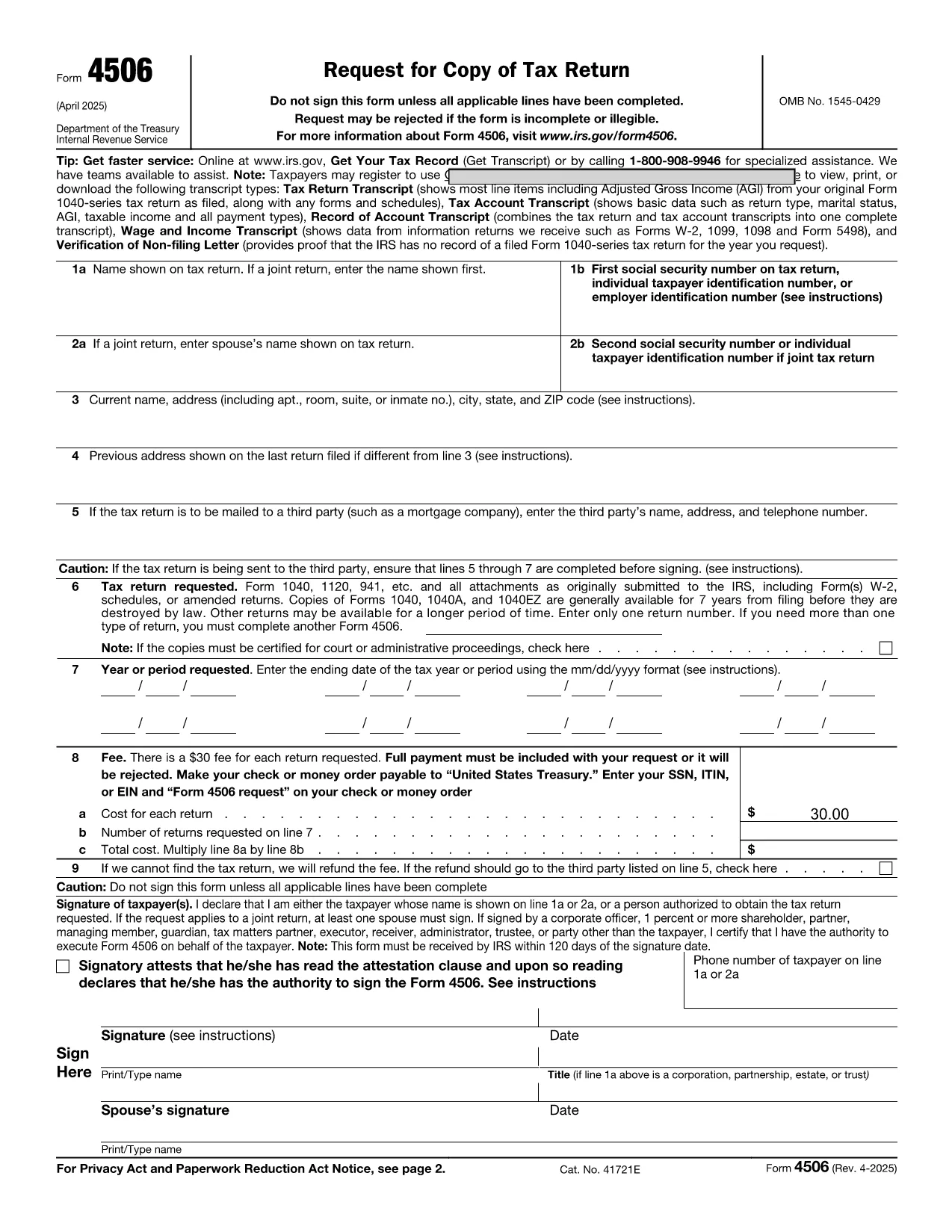

税务表格
request form online 是一种税表,是用于向相关税务机关报告与税收相关的信息的文件。有多种类型的税表,包括联邦、州和地方税表,它们可能因纳税人的情况和地点而异。
Looking for a fast, secure way to request a copy of your tax transcript? The IRS Form 4506 is the official request form for a tax return transcript, and with Formize you can fill it out directly in your browser—no PDF editor needed.
Our fillable PDF version is:
Follow the simple steps below to fill out Form 4506 online and have it ready for printing or electronic submission.
Even a small typo can delay processing. Watch out for:
The Formize filler highlights these issues in real‑time, so you can correct them before you finish.
If you need assistance, the IRS provides phone support for transcript requests (1‑800‑829‑1040). For technical questions about the online filler, refer to the Formize Help Center for troubleshooting tips.
Ready to start? Click the button below, fill out the form in seconds, and print or email it directly to the IRS.
No. With Formize you can fill the form directly in your browser. Just click the "Fill out this form" button and the online filler loads automatically.
Yes. All data is encrypted during the session, and the filler does not store your information after you close the tab.
The Formize filler offers an auto‑save feature. You can download a partially completed PDF and resume editing later.
If you notice an error after printing, simply go back to the online filler, correct the mistake, and download a new PDF.
Processing typically takes 10‑15 business days after the IRS receives the completed form.
Yes. The filler includes an electronic signature field that meets IRS requirements for printed submissions.
The IRS currently accepts mailed paper copies for Form 4506. Keep the PDF for your records after printing.
Refer to the instruction page attached to the PDF or call the IRS at 1‑800‑829‑1040 for help.
在线填写 PDF 表单的最简单方法
删除填充会话
删除编辑会话
